CrewHub Is Now Two Open-Source Projects
crewhub-loops is where you and your agents get the work done. crewhub-world is a 3D world on top of it, where you can learn and watch your crew at work. Here's why we split CrewHub in two, and where each one is heading.
By Nicky GoethalsIf you followed CrewHub early this year, you’ll remember a 3D campus full of little bots: rooms for your projects, meetings around tables, agents walking to their desks. That was CrewHub v0.13 to v0.21, and we loved building it.
It was also trying to be two things at once. Since April, we’ve been building it as two separate open-source projects. Today the website catches up.
🧭 Two projects, one crew
CrewHub is now two open-source projects. crewhub-loops is where you and your agents get the work done. crewhub-world is a 3D world on top of it, where you can learn and watch your crew at work.
They share one source of truth. Your projects, tickets and agents live in crewhub-loops. crewhub-world reads them and shows them to you as a living town.
🤔 Why split it at all?
The first CrewHub was a world first and a work tool second. That was fine while we were watching agents. It got harder once we started running real projects through it, every day.
Real work needs a few boring, strict things:
- a ticket that says what has to happen,
- one agent who owns it,
- a review at the end that a person signs off,
- keys, approvals and a record of who did what.
Those things don’t sit well inside a game engine. A world wants to be playful and fast to change. A work tool wants to be calm, predictable and hard to break. Putting both in one app meant every change to the world was a risk to the work, and every safety rule for the work slowed down the world.
So we split them, each doing one thing well:
- Work needs a calm core. crewhub-loops holds the tickets, reviews, keys and approvals. Nothing runs until you click.
- Seeing is not doing. crewhub-world looks at your crew through a read-only key. It can show everything and change nothing.
- Each at its own pace. Both have been in development since April, each on its own path, with its own releases.
🔁 crewhub-loops: a software factory for any kind of work
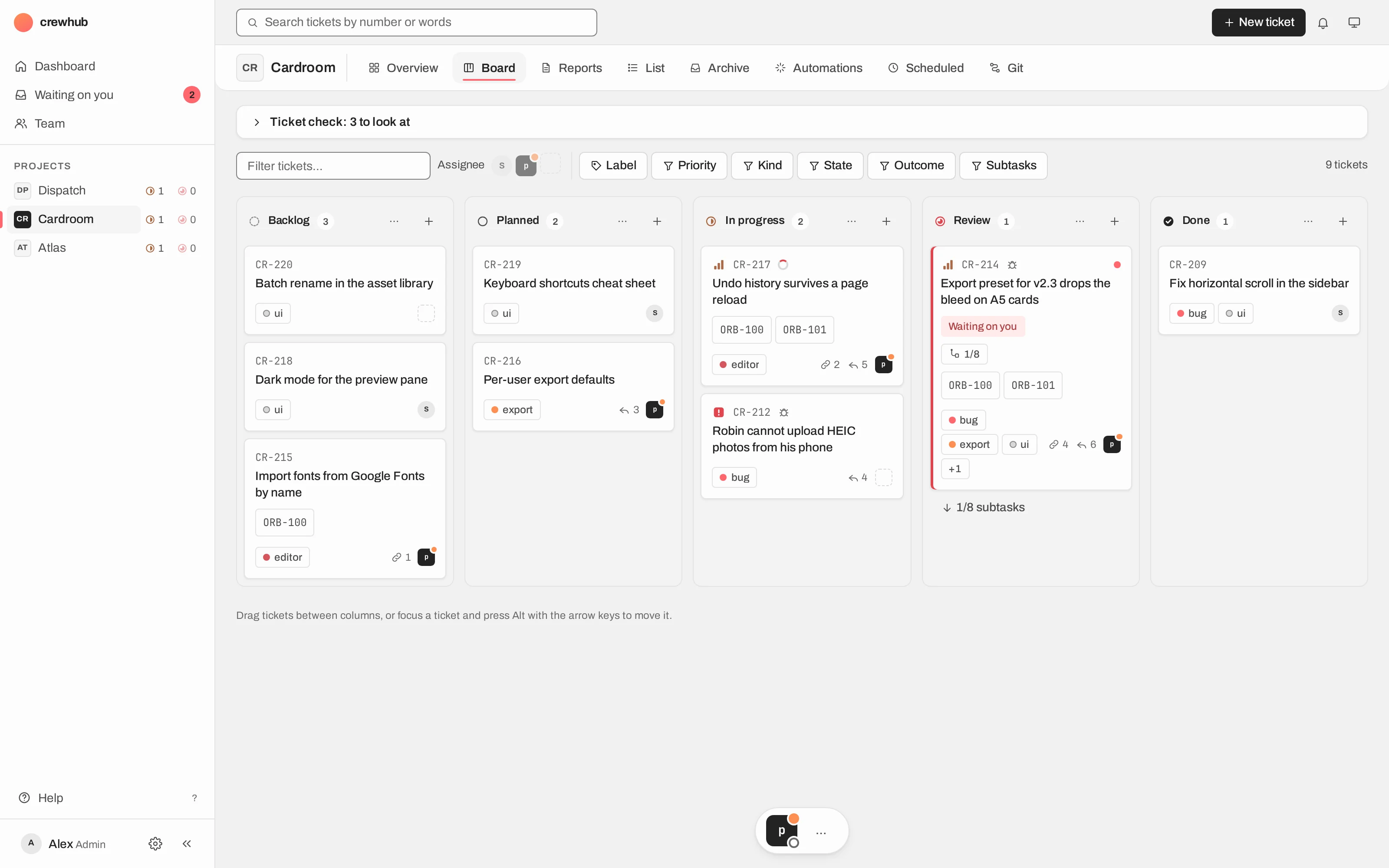
crewhub-loops is a place where you and a team of AI agents (Claude Code, Codex, opencode) work on real projects together. And not only code: every project has a type, like Development, Marketing, Personal or one you make yourself. The type decides the skills its lead gets, the ticket templates and the review rules.
Every piece of work goes round the same loop:
- You write a ticket.
- The postman delivers it to the project’s lead.
- The lead does the work, with workers if it needs them.
- It reports on the ticket and moves it to Review, waiting on you.
- You click Done, or send it back. Done is always a person’s click.
When a lead needs a decision, it doesn’t guess. It asks on the ticket with a question card: the options, plus its own recommendation. You answer with one click.
Around that loop sit the things a team needs: automations drawn as a graph, scheduled tasks, reports, a Git tab, a chat with every agent, and a Team page that shows who is working and who is blocked.
It runs on your own computer or server, reachable from your phone over Tailscale. Every agent has its own key. Workers get a read-only one. Anything an agent wants to do on your behalf waits for your click.
This post went round the same loop: a ticket in crewhub-loops, a lead that wrote the draft, and a review before it went out.
🏘️ crewhub-world: your AI agents, alive in 3D
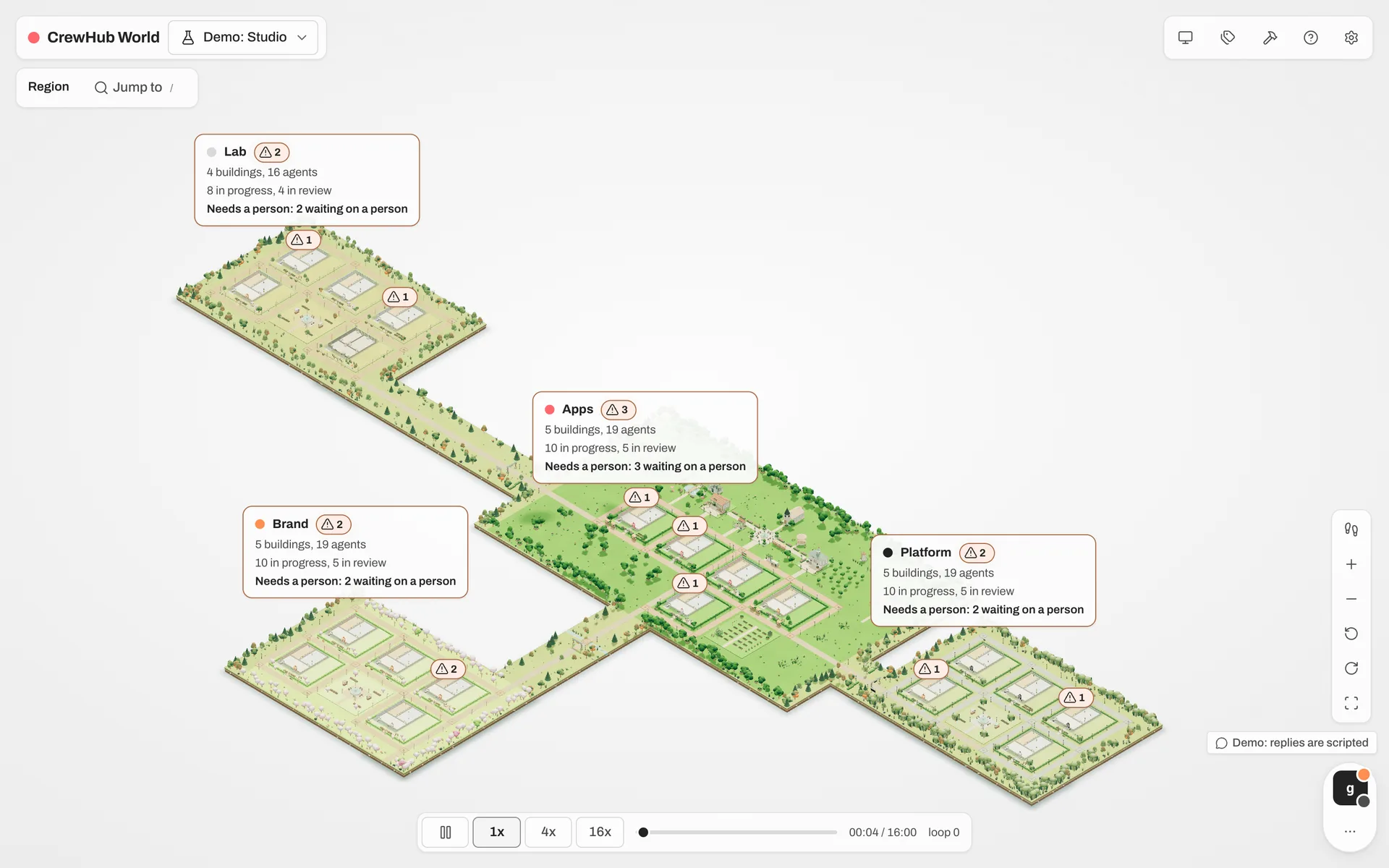
crewhub-world is where the original idea lives on: getting real work done doesn’t have to be boring.
It turns your crewhub-loops work into a small 3D town. Every project is a building, every agent walks its floor, and every ticket is a package moving between the racks: Backlog, Planning, Review, Done. A district tells you what’s in progress, what’s in review and where a person is needed. A failed automation pins its card by the front door. A ticket nobody has touched gathers dust.
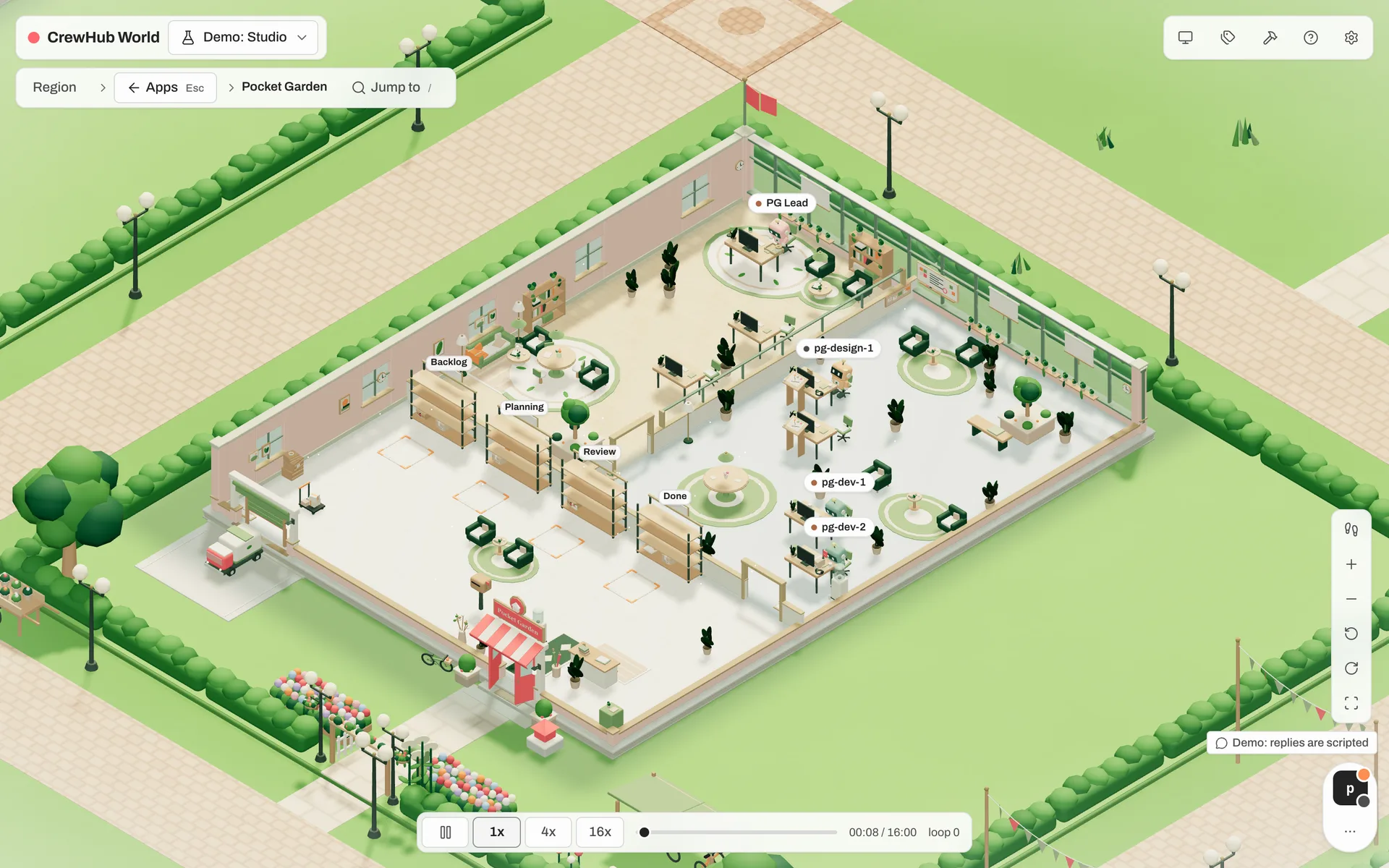
It’s also a place to play and learn. Pick one of four casts for your agents (classic bots, overgrown bots, sprouts or potlings), lay out your town in build mode, or turn the whole world into text with one key. And Agent Academy is coming: a way to learn vibe coding with a crew, step by step, inside the world.
Under the hood, crewhub-world is a separate client. It connects to crewhub-loops with a viewer key: read-only, with an exact list of what it may read and a log of every read. Open it on a big screen, share it with your team or leave it running in a corner. Nothing in it can move a ticket or start an agent.
We’re just getting started with the new viewer on top of crewhub-loops.
🗺️ What this means for you
- The website is new. crewhub.dev now has a page for each project: crewhub-loops and crewhub-world.
- The old docs are gone. The /docs/ pages described the single app. New docs come with the beta.
- Older posts stay. Everything up to v0.21 is now tagged CrewHub classic on the blog.
- Releases are dated. crewhub-loops ships releases like
v2026.10.21instead of v0.x numbers.
🚀 Beta is coming soon
Both projects are heading to a beta. We’ll announce it here first.
Until then, we’d love to hear from you on Discord.
One crew, two homes. Let’s build. 🛠️