
CrewHub v0.16.0: Desktop App, Mobile & OpenClaw Compatibility
v0.16.0 ships a native macOS desktop app, a full mobile experience, and a redesigned HQ. Under the hood: Ed25519 device authentication replaces the old workaround flags, ghost sessions are eliminated, parking lot logic is fixed, and a memory leak in the poll loop is closed.
✨ New Features
🖥️ Native Desktop App for macOS Beta
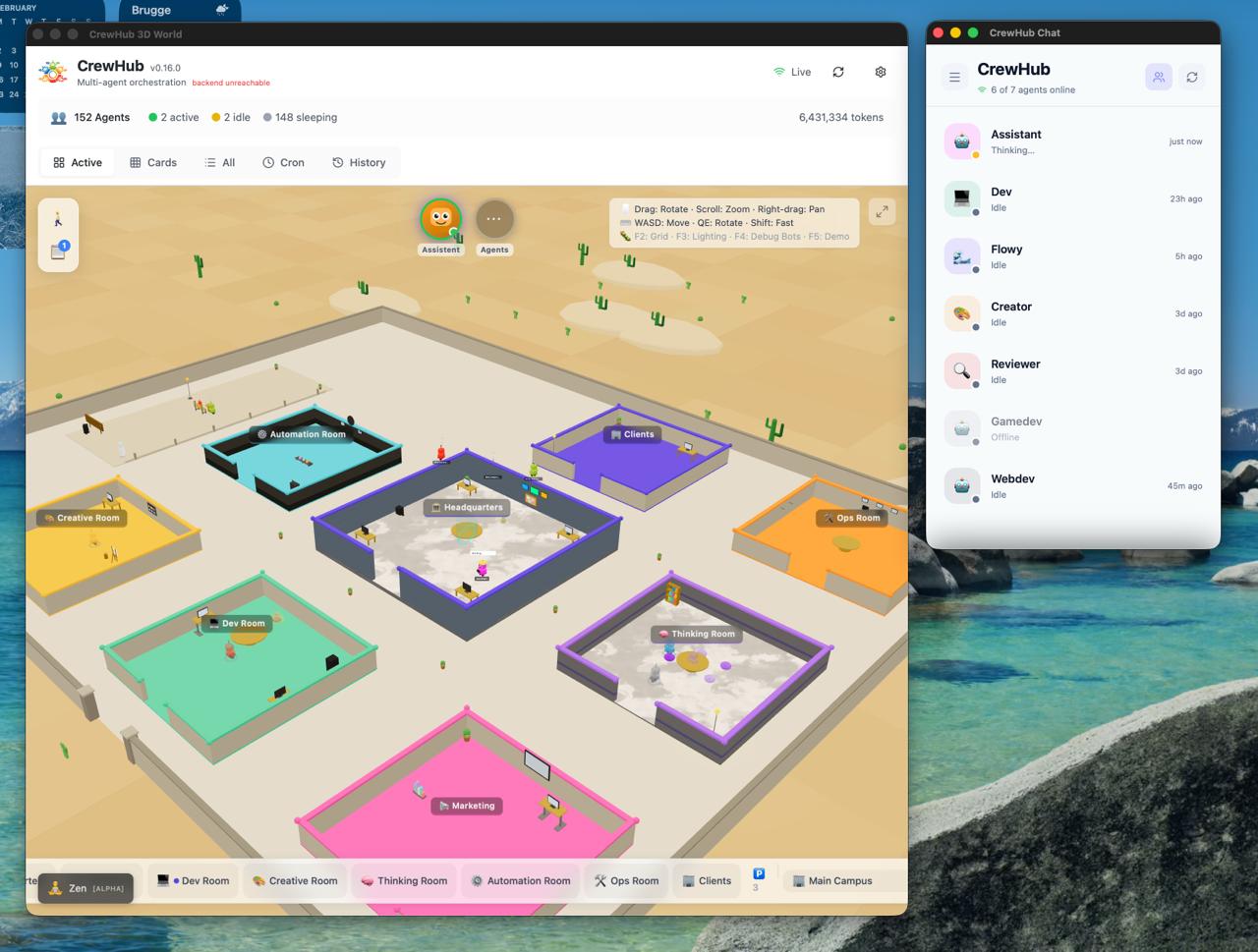
CrewHub now lives in your menubar. No browser, no tabs, no searching — just click the tray icon and you’re in.
Two windows, one click:
- Chat — A compact window for quick back-and-forth with your agents. Sits neatly alongside your other apps.
- 3D World — The full HQ overview in its own resizable window. All your agents, all your rooms, ready to go.
Always available, never in the way:
- No Dock icon — CrewHub floats in your menubar, out of your Cmd+Tab rotation
- Close = hide, not quit — the 3D world stays loaded in the background. Reopen instantly, no re-initialization
- Settings panel in the tray menu — configure your backend URL without touching config files
Notifications:
- System notifications + tray badge — when an agent completes a task, macOS notifies you with a native system notification and a badge on the tray icon. No more switching back to check if your agent is done.
📱 Full Mobile Experience Beta
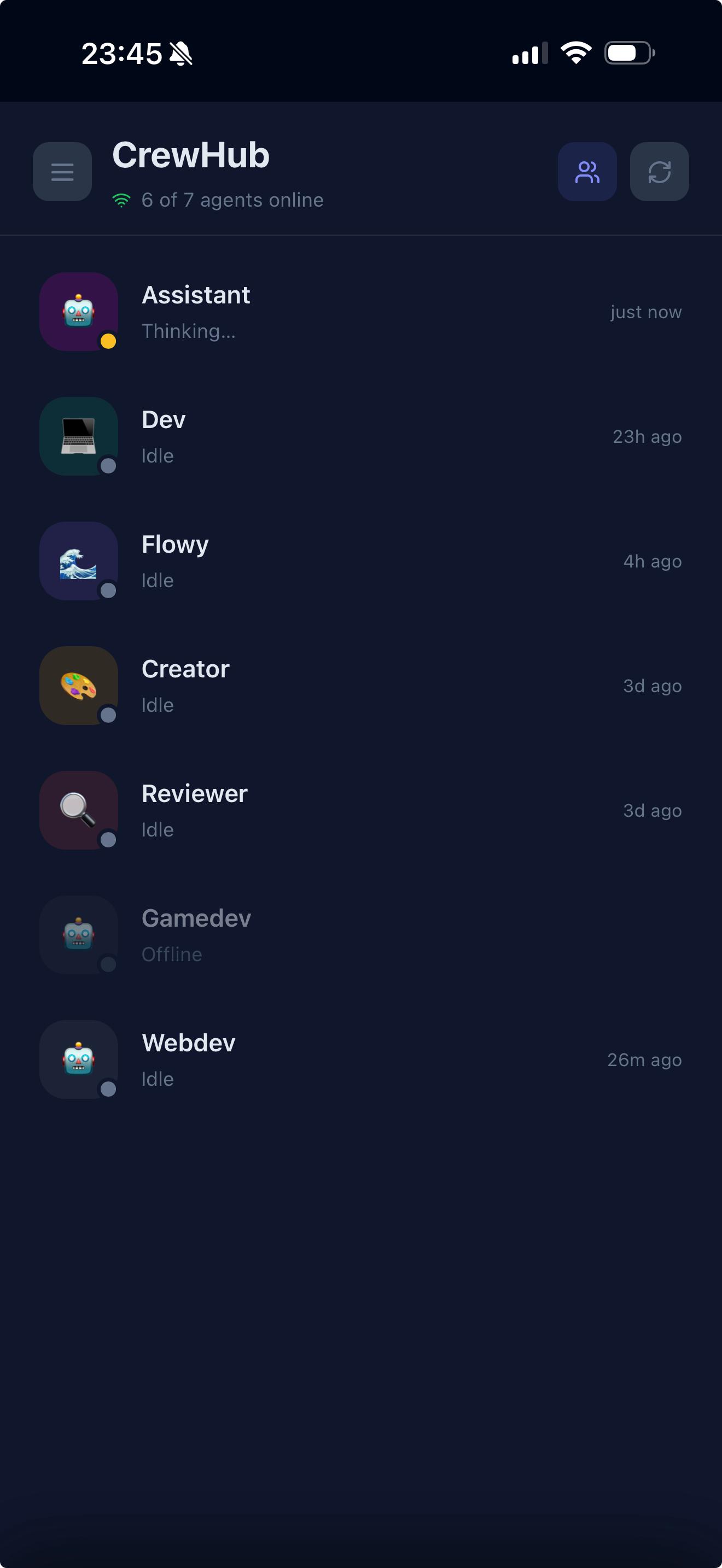
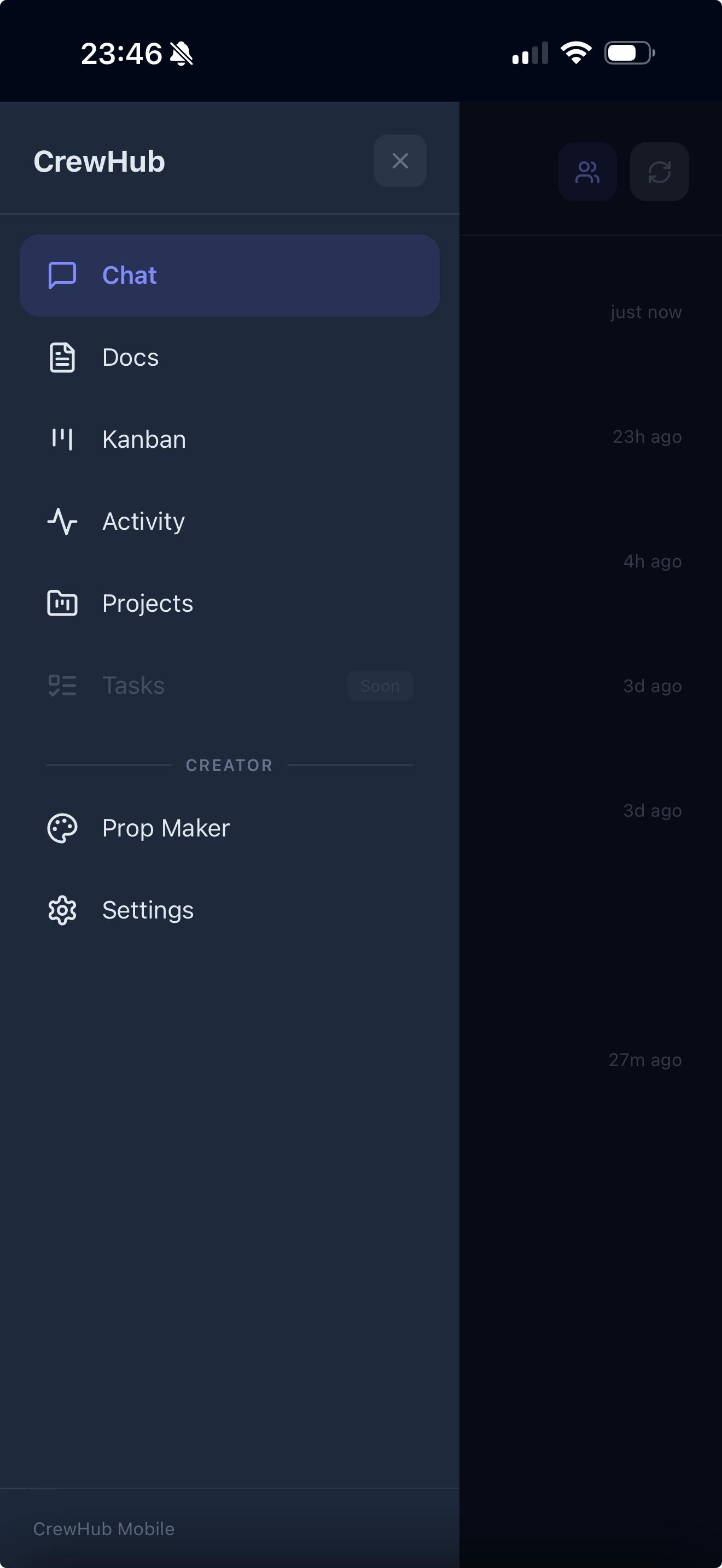
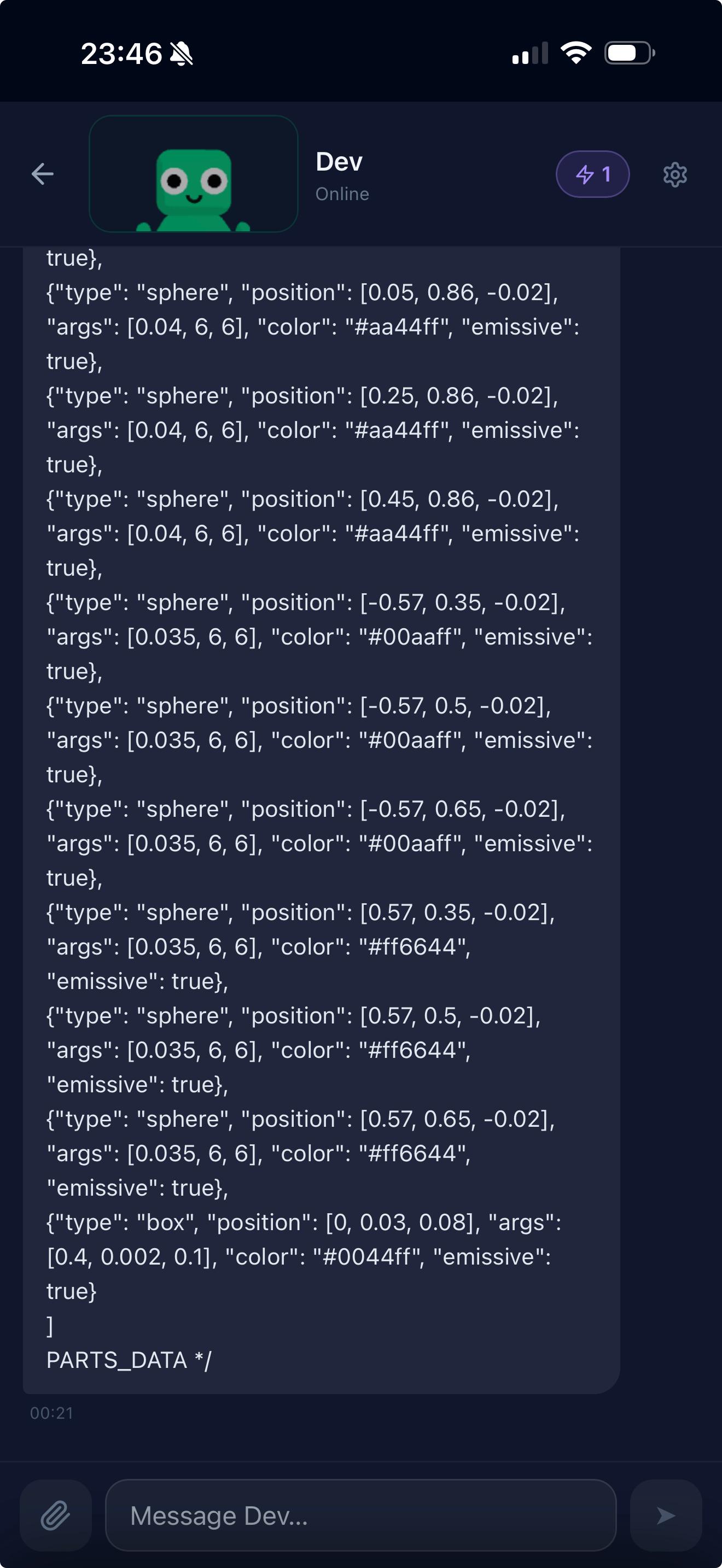
CrewHub now works fully from your phone or tablet:
- Group chat — select 2 to 5 agents for a conversation
- Kanban & Activity on mobile — manage tasks from your pocket
- Chat file & image upload on mobile — photos and files work on iOS/Android
- Prop generation — add desks, plants, monitors and other room props directly from mobile
- 3D character preview in chat header — an animated bot head at the top of every chat
- Active tasks badge — active tasks moved from inline panel to a header badge with fullscreen overlay
- In-app Settings — theme, font size and backend URL configurable without leaving the app
- iOS keyboard fix — chat input no longer zooms in on iPhone
- Hamburger menu with access to Chat, Docs, Kanban, Activity, Projects, Prop Maker and Settings
🏢 HQ Redesign
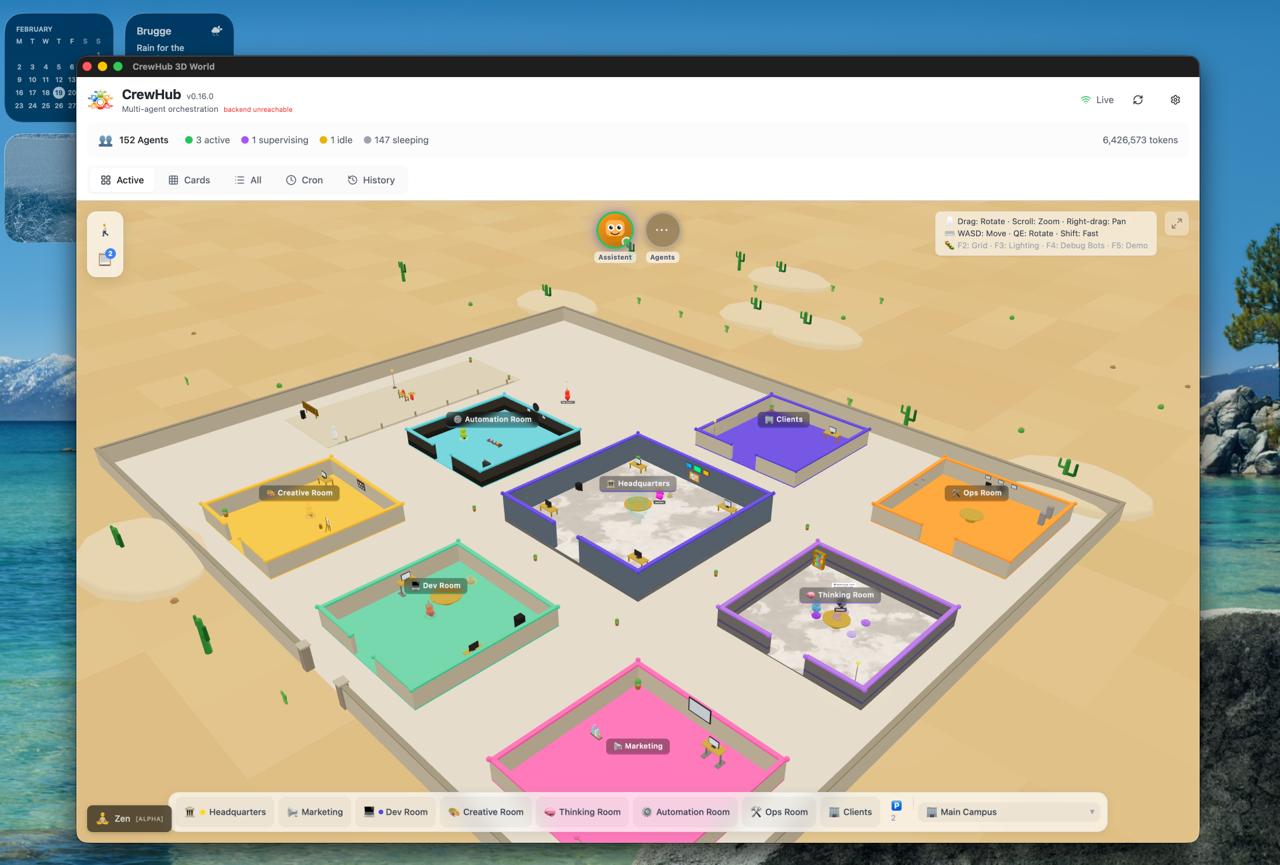
- 3×3 grid layout — rooms are centered and organized, no longer in a radial circle
- HQ Task Board — a Kanban board directly inside HQ with a Review column
- Quick meeting button — start a meeting from HQ in one click
🧘 In Zen Mode
- Docs panel — folder tree view with collapsible folders and last-modified dates, fullscreen markdown viewer, table view with metadata
- Available on mobile too — read your docs in full screen from anywhere
🐛 Fixes
- Ghost sessions — bots no longer linger in the 3D world after their session ends
- Parking lot — agents with active parent sessions no longer park prematurely
- Activity bubbles — no more misleading labels from announce-routing messages
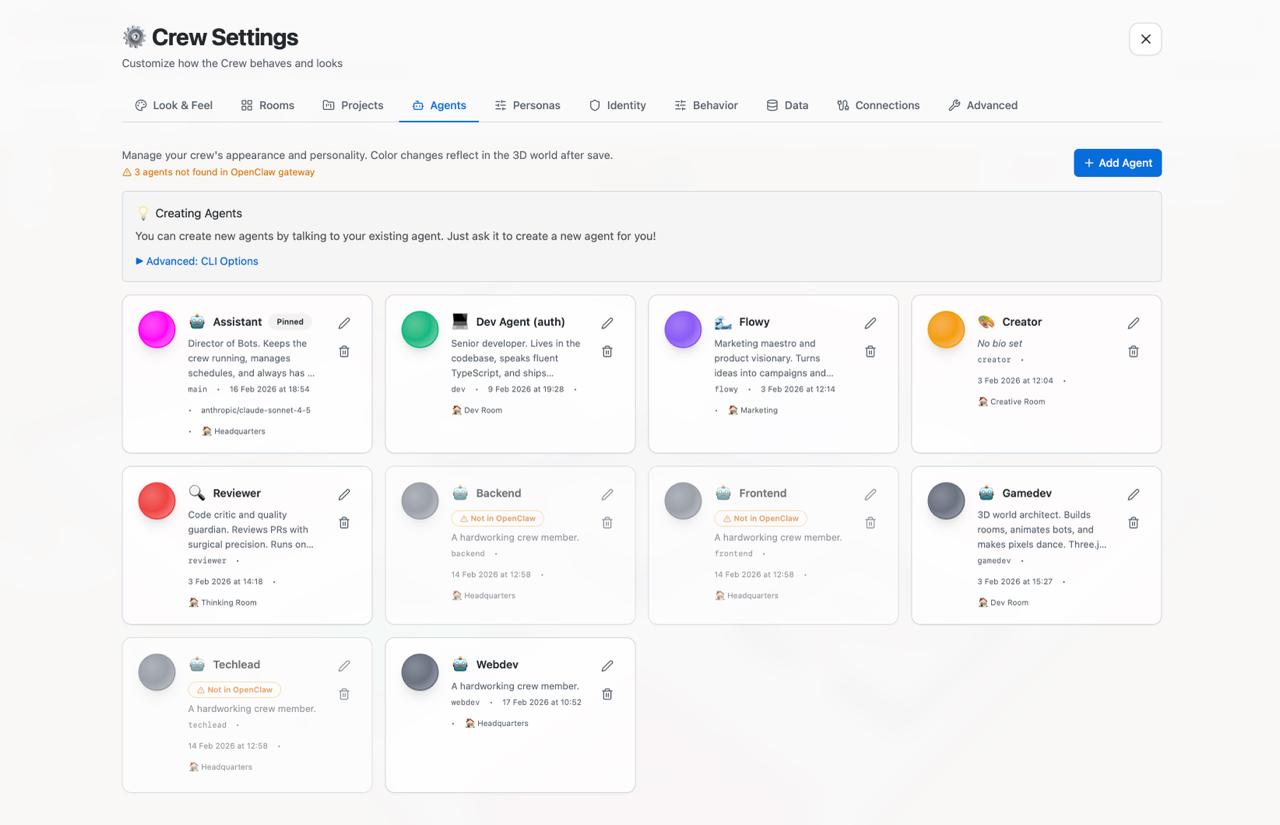
- Agent management — the Agents tab in Settings now shows your full crew with bios, room assignments, model info, and stale indicators. Add new agents, edit icons, delete, and see at a glance which agents are connected to OpenClaw.
- Reply-tag stripping — OpenClaw internal reply-tags are now stripped from displayed chat messages
- All API calls now use the configured backend URL
- Prop drag-and-drop improved — correct plane capture, threshold detection, rotation syncs correctly
- Meeting action items link to the project board instead of standalone planner
- iPad touch fixes for minimize/close buttons in chat
🛠️ For Developers
Security: Device Authentication
The connection between CrewHub and the OpenClaw gateway now uses proper device authentication (Ed25519 keypair) instead of workaround flags.
CrewHub identifies itself as a registered, trusted device — no more dangerouslyDisableDeviceAuth or allowInsecureAuth in the config. More reliable across gateway restarts and a solid foundation for future access control.
Performance
- 80% reduction in initial bundle size via code-splitting of Three.js and heavy dependencies
- React.memo on frequently re-rendering components
- Context provider memoization to prevent cascading re-renders
- Three.js animations throttled for non-critical effects
OpenClaw v2026.2.17 Compatibility
Parking lot logic — shouldBeInParkingLane() now checks the parent main session’s updatedAt as a proxy, so sub-subagents get a grace window while the parent is active. The overly broad sibling subagent check was removed.
Ghost session prevention — the backend poll loop now emits session-removed SSE events when sessions disappear. handleSessionRemoved() (previously dead code) is fully wired. kill_session() is now idempotent.
Archive folder support — get_archived_sessions() now scans archive/ subfolders per agent; get_session_detail() falls back to archive/ when a session isn’t found in the active store.
Memory leak fixed — _poll_stale_count and _poll_prev_updatedAt dicts are now pruned on session removal.
Configuration & Diagnostics
VITE_API_URLsupport — configure the backend URL at the environment level- Webdev agent added to the default agents list
- Tauri v2 desktop app —
ActivationPolicy::Accessory, hide-on-close, explicitset_focus()on window open [DIAG]logs in backend poll loop and frontend parking logic (DEV builds)CrewSessionnow includes an optionalstatusfield for defensive filtering against ghost sessions
v0.16.0 — upgrade from v0.15.0