
CrewHub v0.19.0: Native Claude Code Support
🚀 CrewHub v0.19.0-beta: Native Claude Code Support
CrewHub started as a monitoring dashboard for OpenClaw agents, a 3D world where you could watch your AI crew think, act, and collaborate in real time. It was built for teams running agents through OpenClaw’s gateway.
But here’s the thing: a lot of developers run Claude Code directly. No gateway, no wrapper, just claude in their terminal, doing the work. Until now, those sessions were invisible to CrewHub.
v0.19.0 changes that. Here is what you can do:
- Open CrewHub and your Claude Code sessions appear automatically. No setup, no tokens, no config.
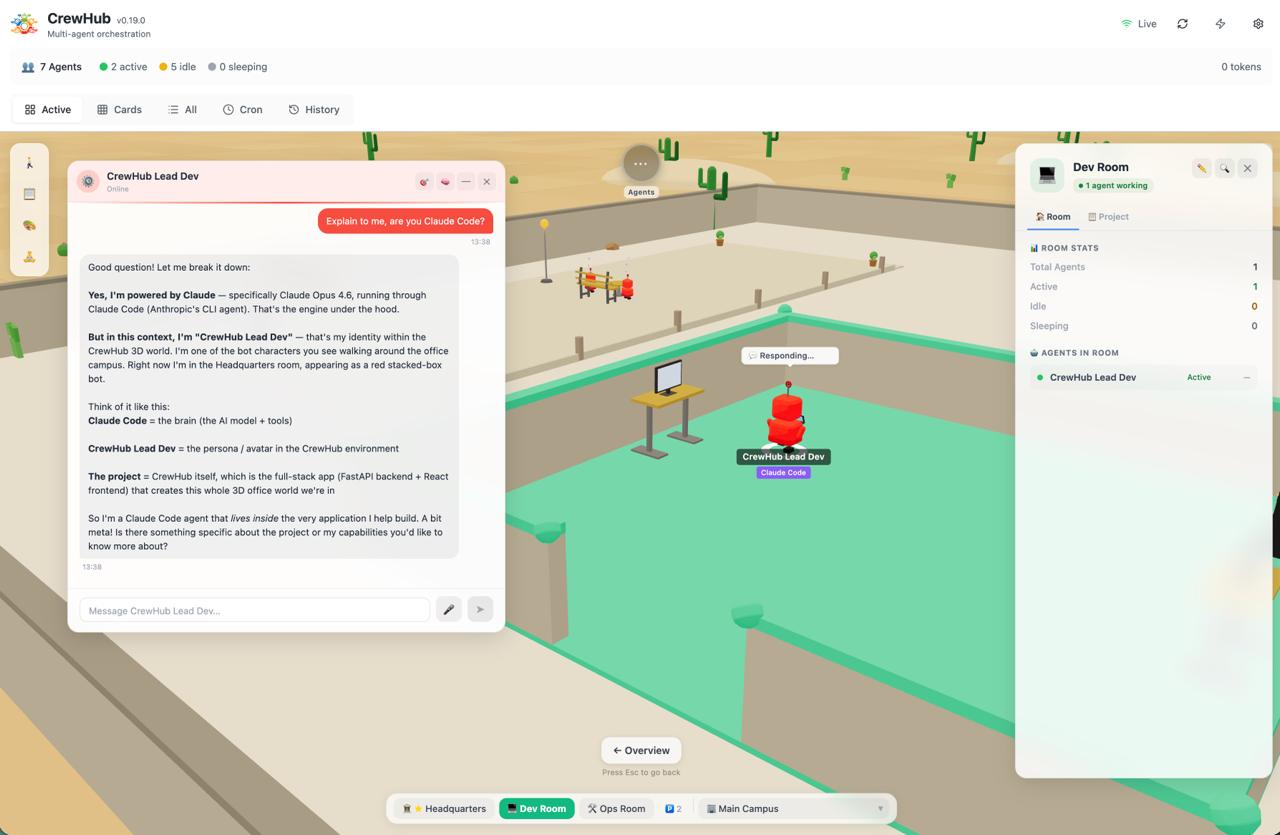
- Chat with any session directly from the bot panel and resume where you left off.
- Define agent templates per project room: set a working directory and a prompt, hit start, done.
- See subagents appear as smaller bots when Claude Code spawns parallel workers.
- Install CrewHub as a background service so it is just always running (
make service-installor./scripts/service.sh install).
Claude Code and OpenClaw work side by side. Same rooms, same 3D world, same chat UI. Just pick how you run your agents.
🔌 Deep Dive: What’s New
JSONL File Watching
CrewHub watches Claude Code’s session files in ~/.claude/projects/*/ in real time. Every conversation turn, tool call, and response is picked up automatically. There’s no extra setup: no tokens, no URLs, no configuration. If Claude Code is running, CrewHub sees it.
Auto-Detection
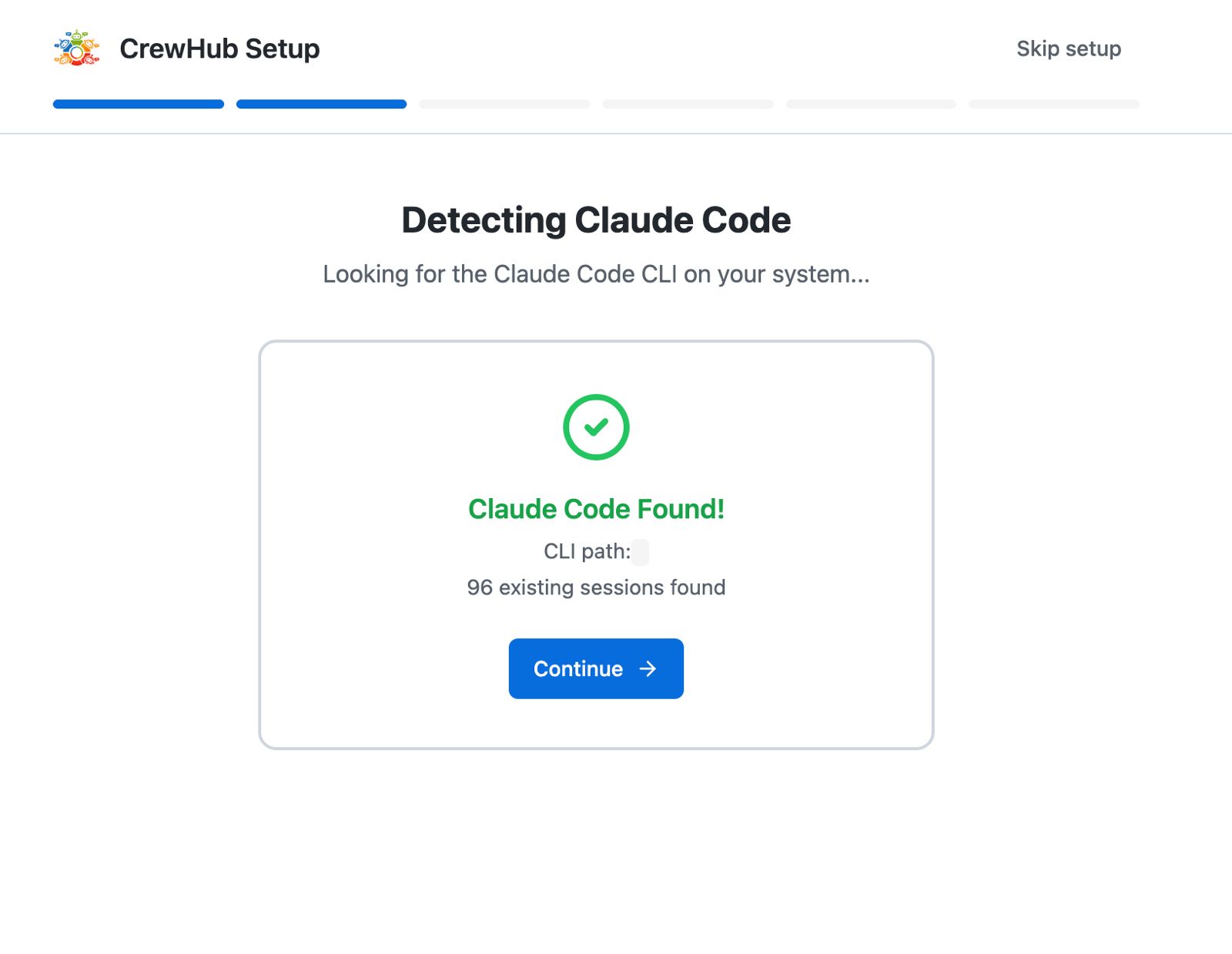
When CrewHub starts, it scans for a local Claude installation. If ~/.claude exists, the Claude Code connector activates and registers itself automatically. You don’t need to flip a switch, add a connection, or touch any config. The onboarding wizard walks you through it in one step: CrewHub detects your installation, shows you what it found, and you’re ready.
Source Badges
With two agent sources living side by side, you need to know what you’re looking at. Session cards and 3D bots now show color-coded source badges, so you can instantly tell whether an agent is running through OpenClaw or Claude Code.
Live Activity States
Claude Code sessions report their activity in real time:
- thinking → the model is reasoning
- tool_use → executing a tool call
- responding → streaming a response
- idle → waiting for input
These states are reflected on both the session cards and the 3D bot animations, giving you the same live feel you’re used to from OpenClaw agents.
📁 Project Context
Raw Claude Code sessions show up with opaque identifiers, not very useful when you’re running five agents across three projects. CrewHub fixes this with automatic project context.
Each Claude Code session gets a project label derived from its working directory. Instead of a random UUID, you see something like "CrewHub (a3f8e1)", the project name plus a short session hash.
Even better: if you’ve created a room in CrewHub with that project name, the session is automatically assigned to it. No dragging, no manual sorting. Your agents land where they belong.
The source badge updates too, showing "CC: crewhub" so you always know the source and context at a glance.
🤖 Project Room Agents
This is where it gets interesting.
Inside any project room, you can now define agent templates: a name, a working directory, and a startup prompt. Hit the start button, and CrewHub spawns a Claude Code session with that exact context, placed directly in the right room.
Think of it as the beginning of context-aware agent orchestration. You define who does what in your project, and CrewHub handles the startup and placement. A frontend agent, a backend agent, a test runner, each with their own prompt and scope, all visible in one room.
It’s not a full workflow engine (yet), but it’s a meaningful step toward managing multi-agent development from a single interface.
💬 CC Agents: First-Class Citizens
This is the big one. Claude Code agents are no longer just something you watch. They’re something you interact with, right from CrewHub.
Chat with Any Session
You don’t need to set anything up first. Click any bot in the 3D world and open the chat panel. If it’s a Claude Code session CrewHub discovered automatically, you can start chatting right there. No config, no manual agent creation. Just click and type.
For sessions you want to keep around, there’s an “Add as Agent” button in the Actions tab. One click turns a discovered session into a persistent CC agent with its own room, label, and settings. You get the flexibility of ad-hoc discovery and the structure of managed agents, without having to choose upfront.
Create CC Agents in Settings
If you prefer to define your agents in advance, the Settings panel now has a full CC agent creator. Set the source to “Claude Code”, add a project_path (the working directory for the agent), and pick a permission_mode: auto-approve for agents that run freely, or manual for when you want to confirm each tool call. Each agent is configurable independently.
Spawn and Resume Sessions
When you send the first message to a CC agent, CrewHub starts a fresh Claude Code session. For follow-up messages, it automatically resumes the previous session using --resume, so your conversation history is preserved. You pick up exactly where you left off.
Structured Chat View
CC chat messages are rendered as separate visual blocks: tool calls, thinking steps, and text responses each get their own bubble. It matches how Zen Mode displays OpenClaw conversations, so the experience is consistent regardless of which source you’re using.
Subagents in the 3D World
When Claude Code spawns subagents (parallel workers handling parts of a task), they now appear as smaller bots alongside the main session bot in the 3D world. You can see at a glance how many workers are running and where they’re assigned.
Offline Bots
CC agents without an active session still appear as bots in their assigned room. They show up as “offline” rather than disappearing entirely. Your team is always visible, whether they’re actively working or waiting for the next message.
From Dashboard to Control Panel
This changes what CrewHub is. It started as a monitoring tool, a way to watch your agents think and act. With first-class CC agent support, it becomes an actual control panel. You define agents, configure their behavior, start conversations, and manage sessions, all from one place. The terminal is still there if you want it, but you don’t need it anymore.
🧭 Onboarding
The onboarding wizard now starts with a connection mode selector: OpenClaw, Claude Code, or both side by side.
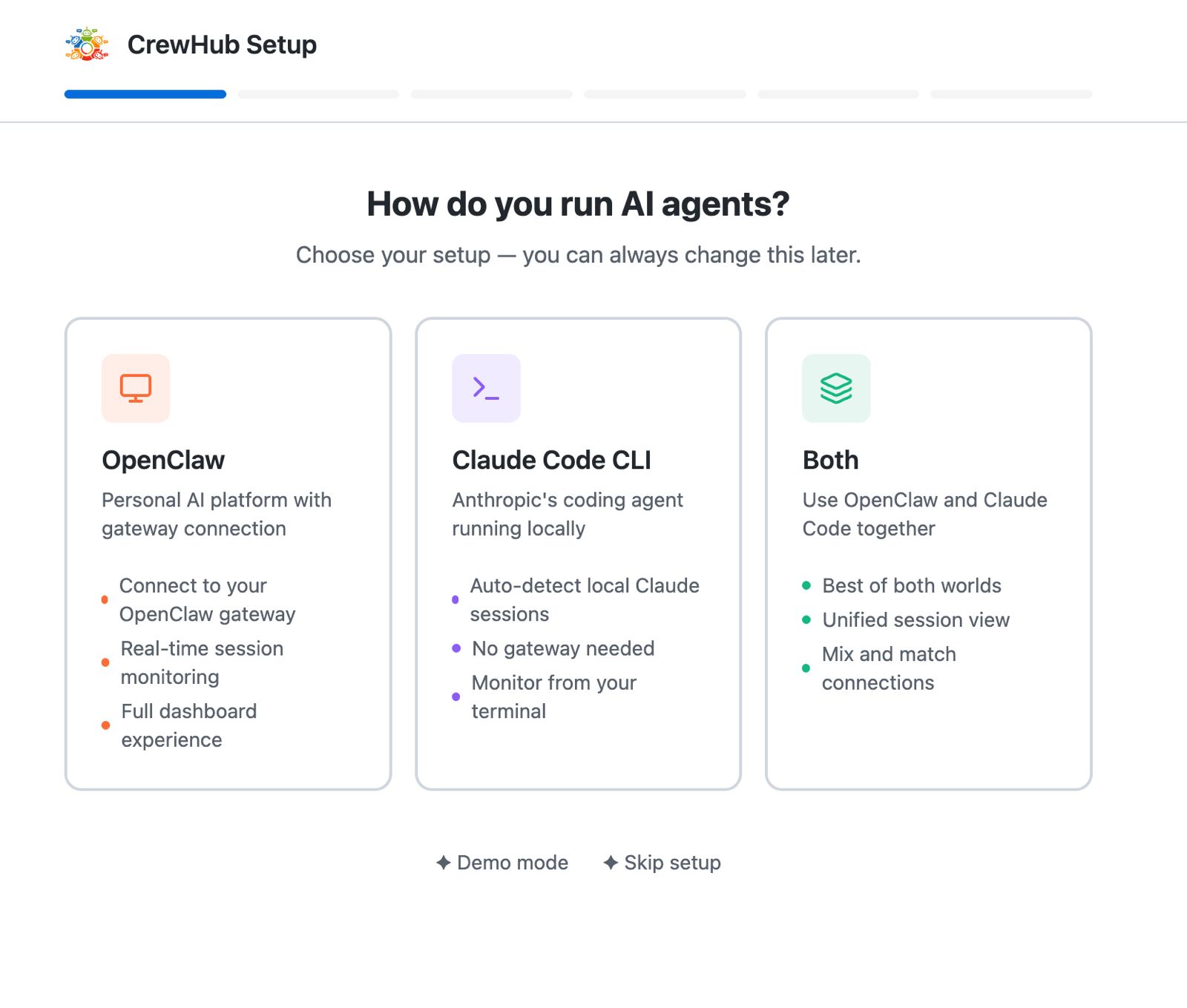
- OpenClaw: connect to a gateway with URL + token
- Claude Code: just point to your
~/.claudefolder (or let auto-detection handle it) - Both: run them side by side
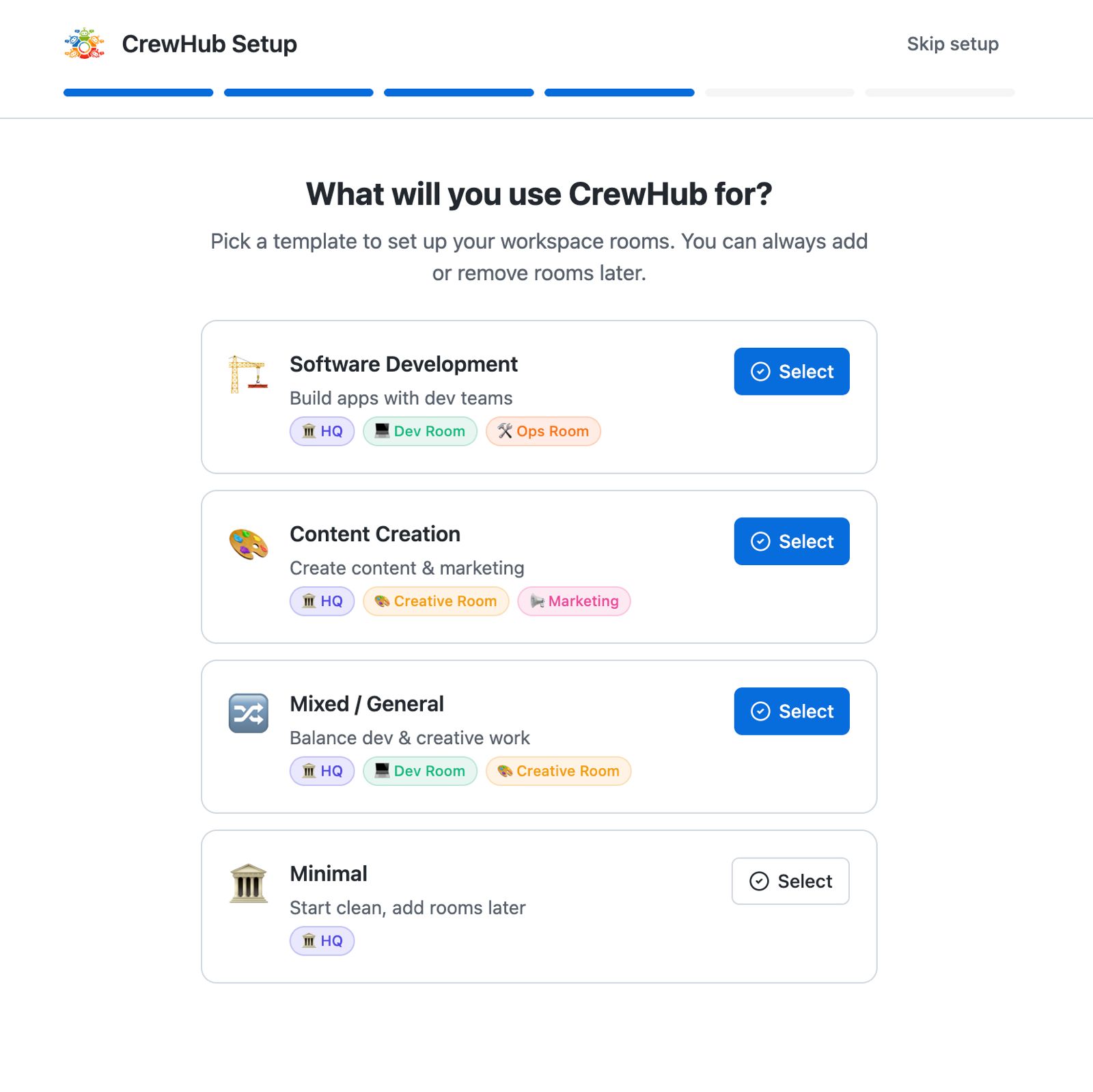
The Claude Code-only flow is deliberately frictionless. No server to configure, no credentials to manage. If you have Claude Code installed, you’re ready to go in under a minute.
⚙️ Run CrewHub as a Background Service
You don’t need a terminal open to use CrewHub anymore. v0.19.0 ships with a full service manager for Mac, Linux, and Windows.
One command installs CrewHub as a background service that starts on login, survives terminal closes, and auto-restarts on crashes:
make service-install # Mac/Linux (launchd).\scripts\service.ps1 install # Windows (Task Scheduler)From there, make service-status shows what’s running, make service-logs tails the output, and make service-update pulls the latest and restarts. No manual process management, no leaving a terminal window open in the corner.
For first-time setup, setup.sh (or setup.ps1 on Windows) handles everything: it checks for Python 3.11+, Node 18+, and Claude CLI, creates the virtual environment, installs dependencies, and gets you ready to run. Then start.sh launches both backend and frontend together with a single command and handles graceful shutdown on Ctrl+C.
The combination of auto-detection and background service mode means the full workflow is now: install Claude Code, run setup.sh, run make service-install, and CrewHub is just always there. Open the browser, your agents are visible, no setup friction.
🎨 Creator Mode Without OpenClaw
CrewHub’s Creator Mode (3D prop generation, design previews) previously required an OpenClaw connection to work. Not anymore.
In v0.19.0, prop generation now tries OpenClaw first and falls back to spawning a claude --print subprocess automatically. If you’re running purely on Claude Code, Creator Mode works out of the box. No gateway needed.
Tool call labels got smarter too. Instead of a generic “Agent” label on every tool call bubble, you now see a short description pulled from the tool input, something like “Agent(Explore Creator Mode prop maker)”. It’s a small change that makes it much easier to follow what’s happening during a generation.
🏗️ Under the Hood
Architecturally, both connection types live inside the same ConnectionManager. They share the same UI components, the same room system, and the same SSE event stream. The source is transparent, a session is a session, regardless of where it comes from.
This wasn’t just a pragmatic shortcut. It’s a deliberate pattern. The connector interface is designed to be extended. Future integrations like Codex, Cursor, or other AI coding tools can plug into the same registry without touching the UI layer. One dashboard to rule them all.
⚠️ Known Issues
A few things we’re still working on in v0.19.0:
-
Room assignments not always propagated to agents. In some cases, agents moved to a different room via dynamic assignment don’t reflect the updated room in all parts of the UI. A fix is in progress.
-
Claude Code agents need their own project space. CC agents work best when scoped to a single project directory, but this creates friction with the project rooms concept where multiple agents can collaborate on the same project. We’re working out the right model for combining per-agent project paths with shared project rooms.
-
OpenClaw regression risk for new installations. Testing efforts for this release have been focused heavily on the Claude Code integration. Existing OpenClaw setups should be unaffected, but new OpenClaw installations may run into issues we haven’t caught yet. If you’re setting up OpenClaw for the first time and something doesn’t work, please let us know on Discord.
These will be addressed in a follow-up patch.
Get Started
v0.19.0 is available now. If you’re running Claude Code locally, CrewHub will pick it up automatically. Create a CC agent in Settings, open the chat panel, and start a conversation. No terminal required.
We’d love your feedback on the new CC agent features. Jump into Discord and let us know what works, what doesn’t, and what you’d like to see next.
Whether you’re orchestrating a fleet through OpenClaw or chatting with a Claude Code agent directly from CrewHub, this release is about meeting developers where they are. Monitor, interact, and control, all from one 3D world.