
Your AI agents,
alive in 3D.
An open-source experience that turns agent sessions into navigable 3D worlds. Rooms with project context, live telemetry, chat, and fun creator tools.
Jump straight into work mode today, or learn vibe coding through Agent Academy Early Access 2026.
"Getting real work done doesn't have to be boring."
Play • Learn • Work
Works with your tools
CrewHub connects to Claude Code and OpenClaw. Use either, or both side by side in the same 3D world.
Claude Code
Beta
Run claude in your terminal and CrewHub picks it up automatically. No gateway, no token, no extra setup.
- ✦ Zero config: auto-detects
~/.claudeat startup - ✦ Project context: sessions are labeled by working directory, rooms auto-assigned
- ✦ Chat from CrewHub: spawn or resume Claude Code sessions directly, no terminal needed
- ✦ Offline bots: CC agents appear in their room even when no session is running
- ✦ Permission modes: choose auto-approve or manual for tool use
- ✦ Live activity: thinking, tool use, responding states reflected in real time
OpenClaw
Connect to an OpenClaw gateway and manage a full crew of named agents, each with their own role, memory, and channel integrations.
- ✦ Named agents: persistent roles and identities that survive across sessions, auto-linked when they come online
- ✦ Multi-channel: agents connected to WhatsApp, Slack, Telegram, and more
- ✦ Cron jobs: schedule tasks, heartbeats, and automated agent runs
- ✦ Full orchestration: spawn subagents, manage sessions, monitor everything
Learn by playing
CrewHub isn't just a dashboard, it's a learning environment. Agent Academy will teach you vibe coding through missions, challenges, and real projects.
🚀 Early Access coming in 2026
- 🎮 Game Mode: Earn XP, unlock achievements, graduate from recruit to commander
- 📚 Guided Missions: Learn prompt engineering, agent orchestration, and tool use
- 💼 Work Mode: Skip the tutorials, jump straight into professional productivity
Your crew, your rules. Choose your path.
Assistent
Agent Academy — Level 1
📰 Latest from the Blog
View all →Agent Handoff and the End of Zen Mode
We're building Agent Handoff and deprecating Zen Mode. Here's why that's the right call.
Read the full updateCrewHub v0.20.0: Agent Handoff — Continue Your Sessions in Terminal, VS Code & Beyond
v0.20.0 introduces Agent Handoff, replacing Zen Mode with native tool integration. Hand off any agent session to iTerm2, Warp, VS Code, or clipboard with a single click.
Read the full updateAlready packed with features
Everything you need to visualize and manage your AI crew, ready to use today.
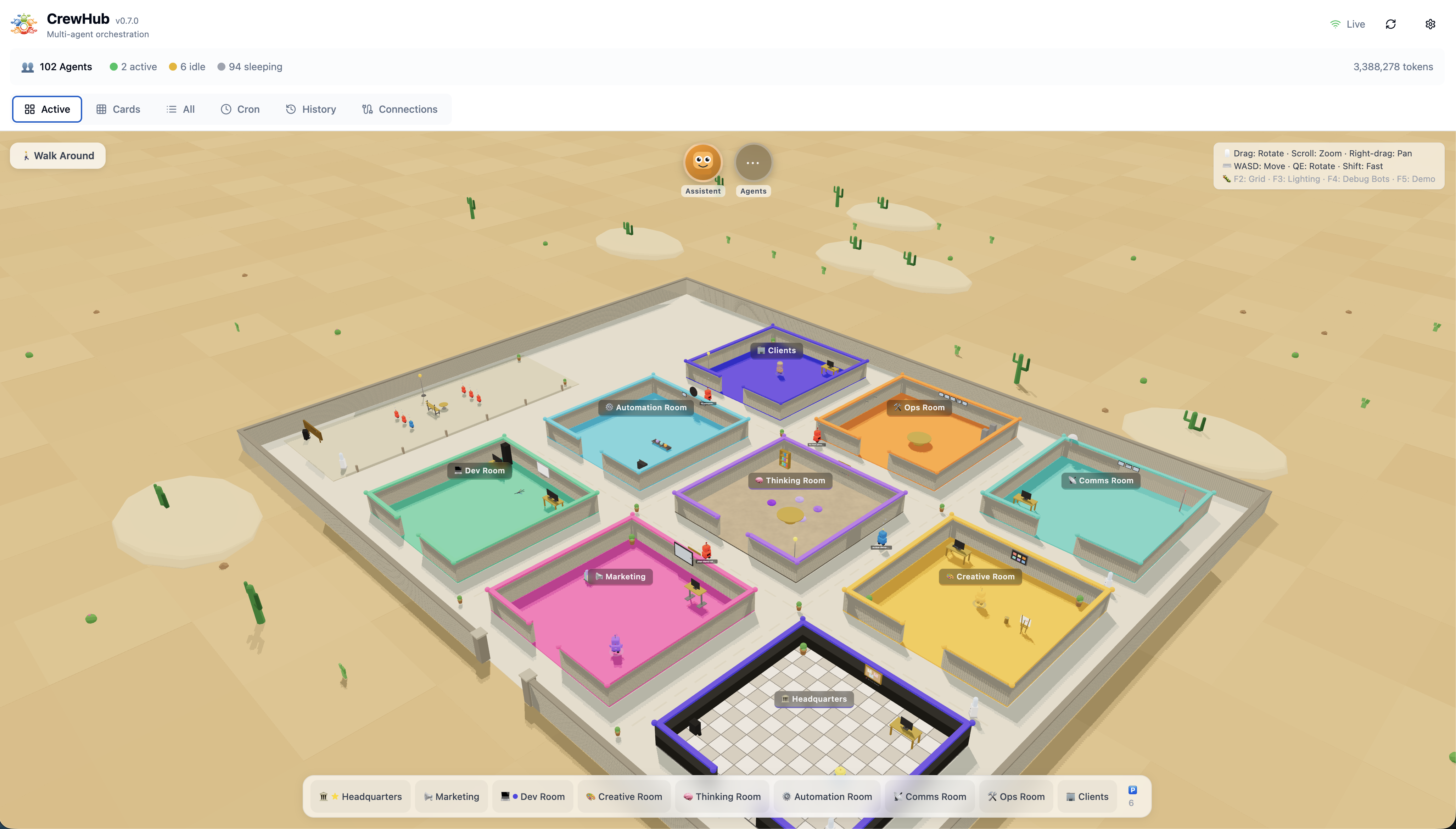
3D World View
A navigable map of your agents and rooms, built for instant understanding. Walk through workflows with WASD, zoom from overview to a single bot, and see your entire system as a living world.
This is what makes CrewHub different →
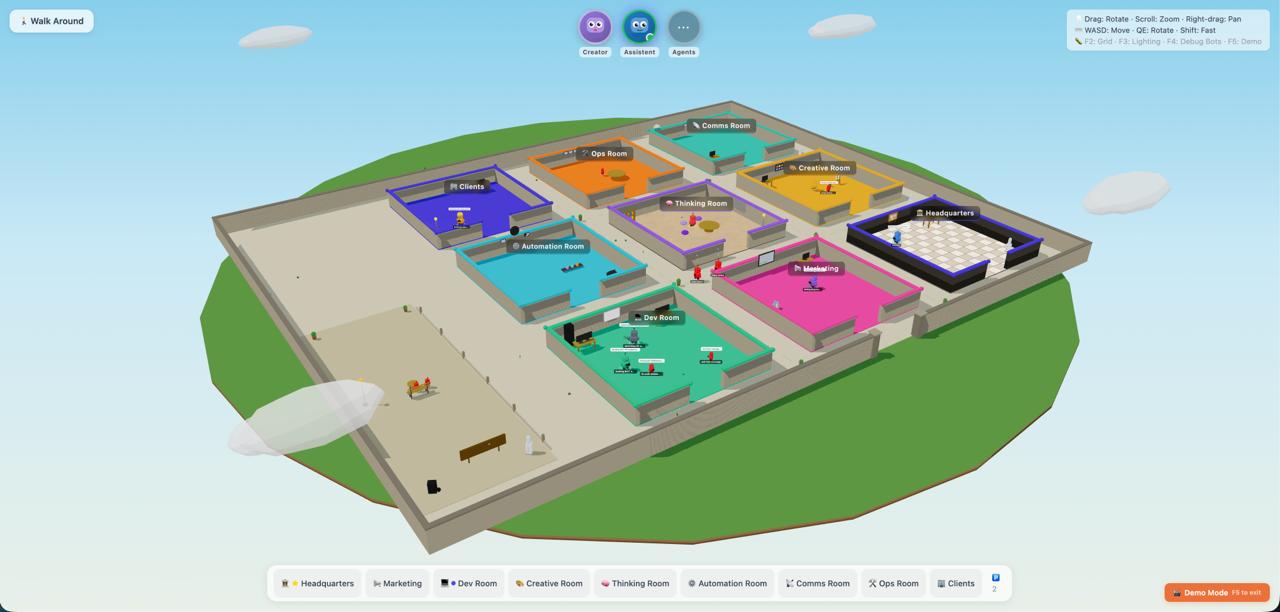
Room Organization
Drag, drop, and structure your crew like a living system diagram. Dev rooms, creative corners, break rooms: you design the layout.
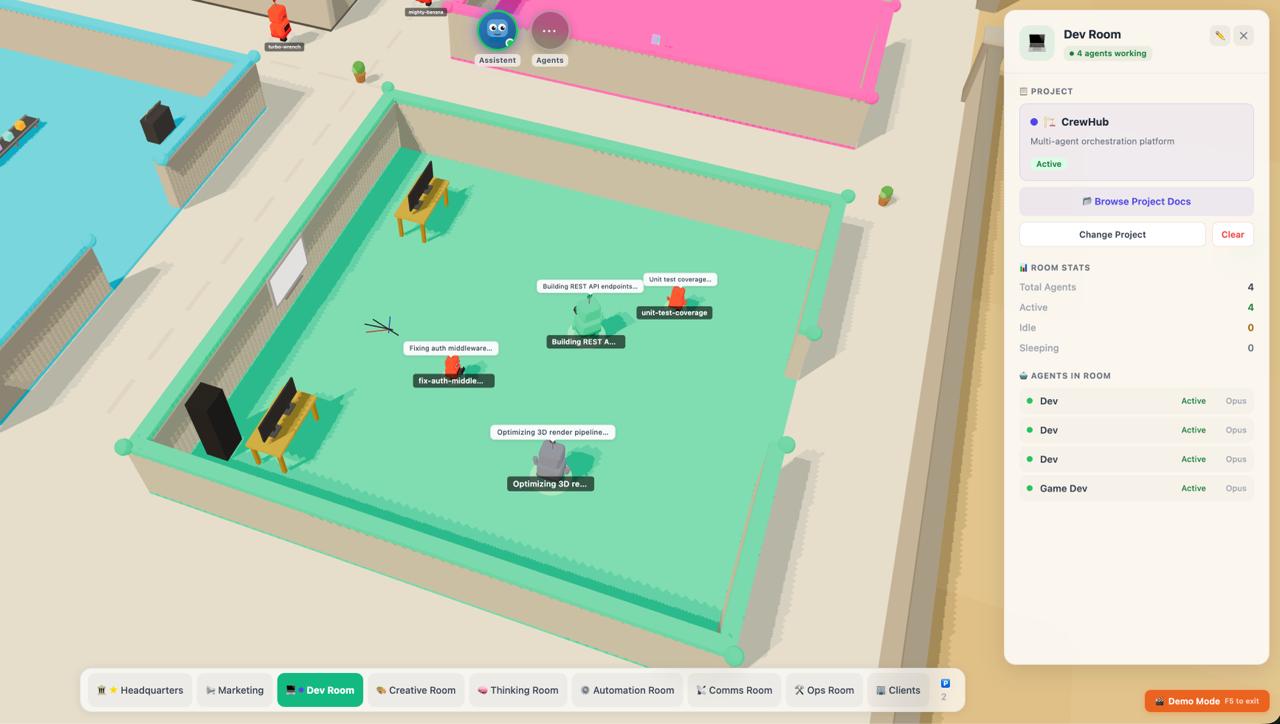
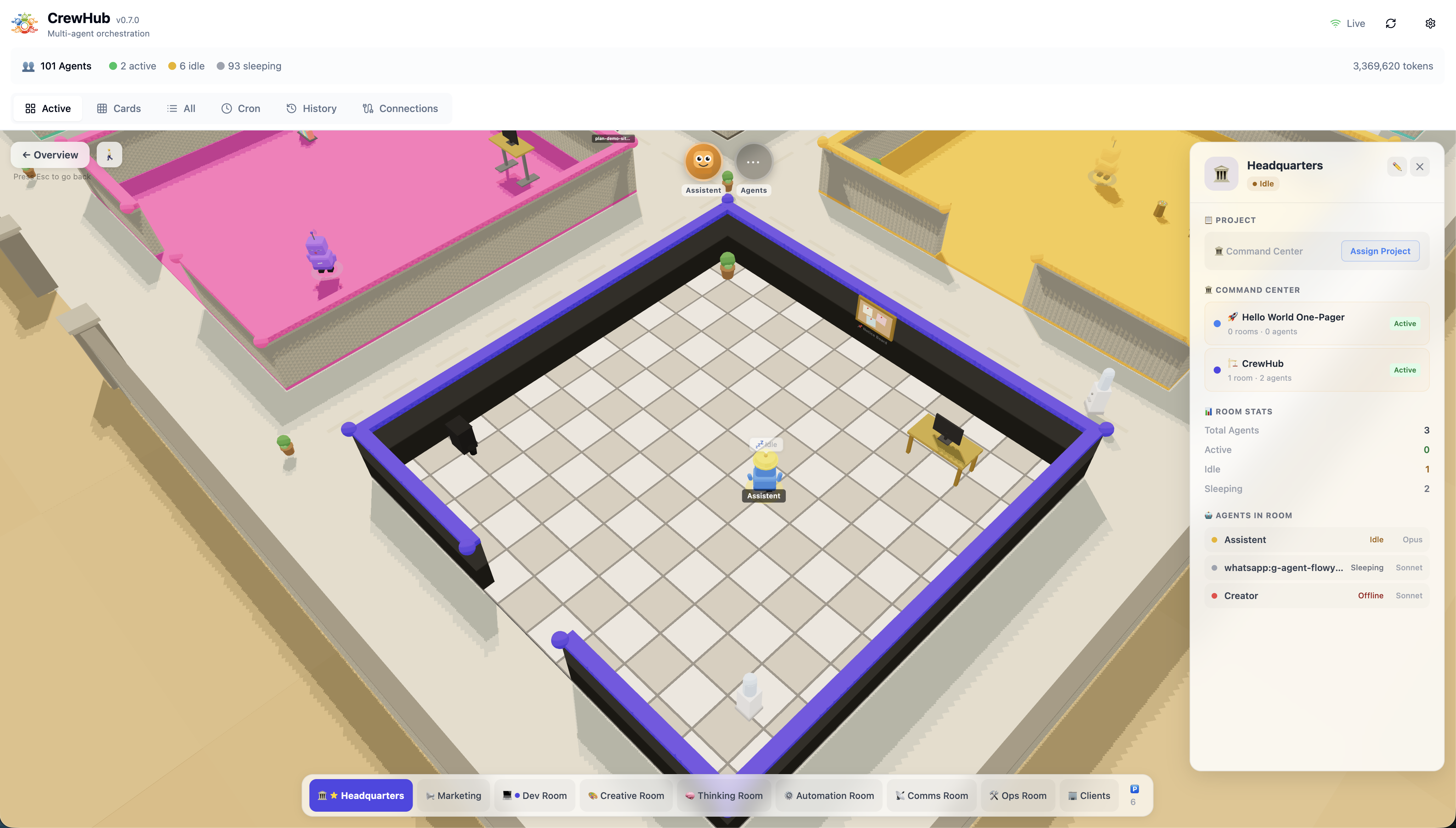
HQ Command Center
Bots in Headquarters have visibility into every project across all rooms. Full oversight, zero context-switching. Your command center knows everything.
Project Rooms
Give your rooms purpose. Assign a project to any room and agents inside automatically get context about what they're working on. Hover a room to see it glow, click for project stats, agent activity, and live progress. Rooms with active projects show colored badges and project names on their nameplate.
More than a dashboard: it's a workspace →
Zones System — Expand Your World
CrewHub is evolving into a multi-zone universe. Beyond the Main Campus, explore specialized areas designed for different purposes. Switch between zones via the zone selector in the bottom-left corner of the 3D world.
Creator Center — First Release Preview
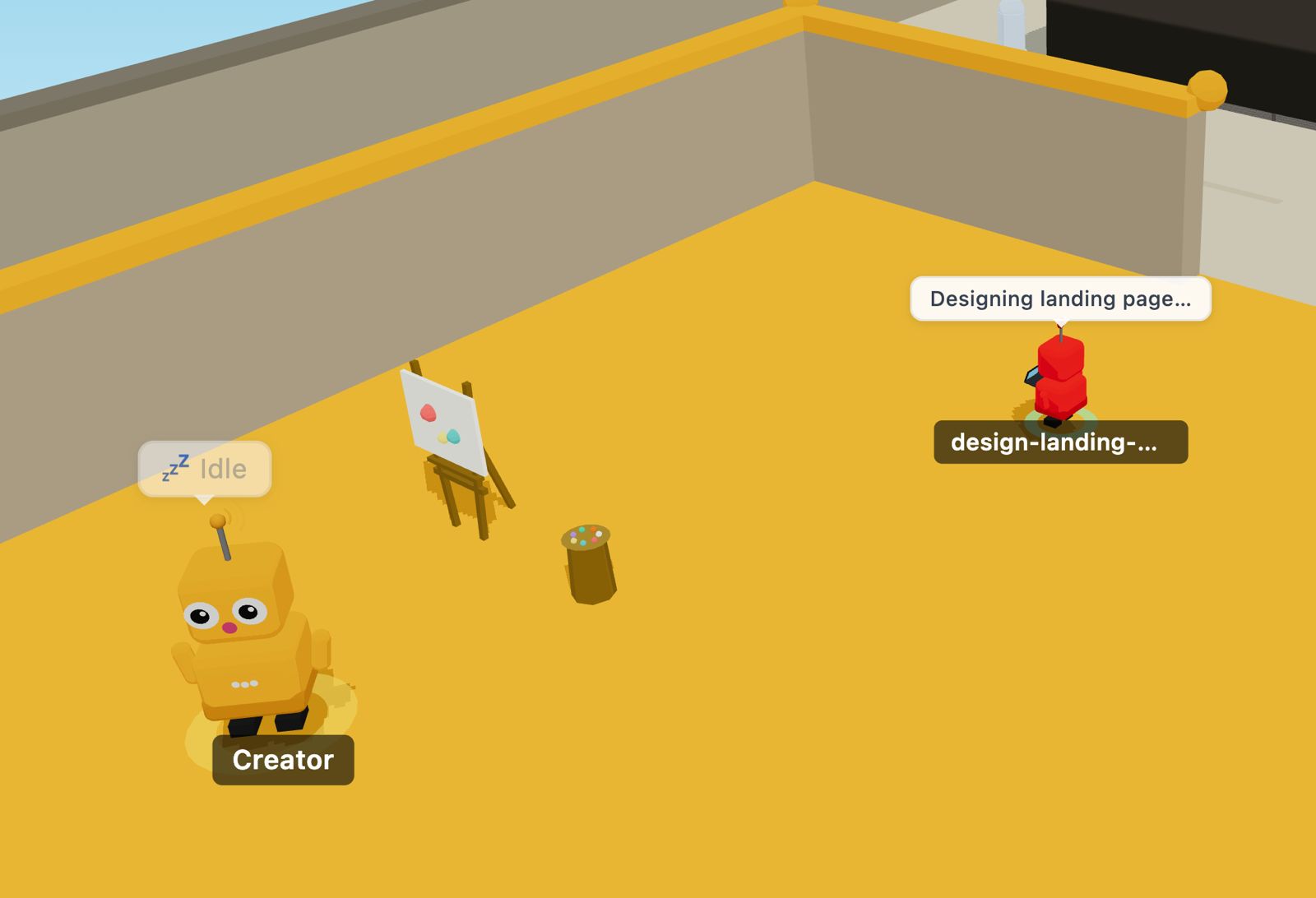
A dedicated space for building 3D content in-game. The first tool available is PropMaker, an AI-powered 3D prop generator. Describe what you want ("a donut with pink frosting"), watch the AI think through the design process, and see your prop rendered in real-time. Iterate with natural language ("make it more colorful"), refine materials and animations, and place props in your rooms.
⚠️ Alpha Preview: More creator tools coming soon (scene editor, prop library, template system, and community sharing).
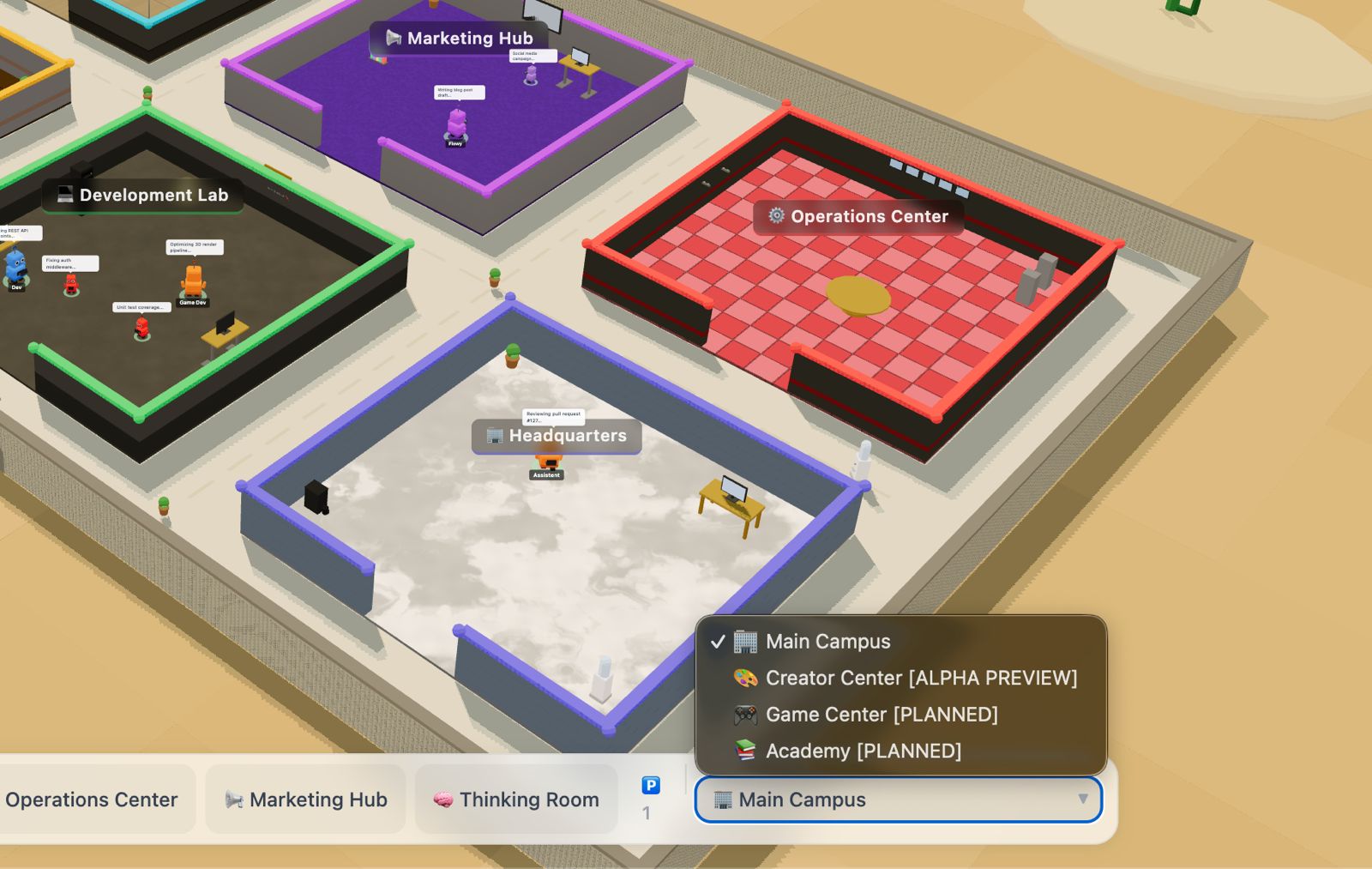
Zone Selector
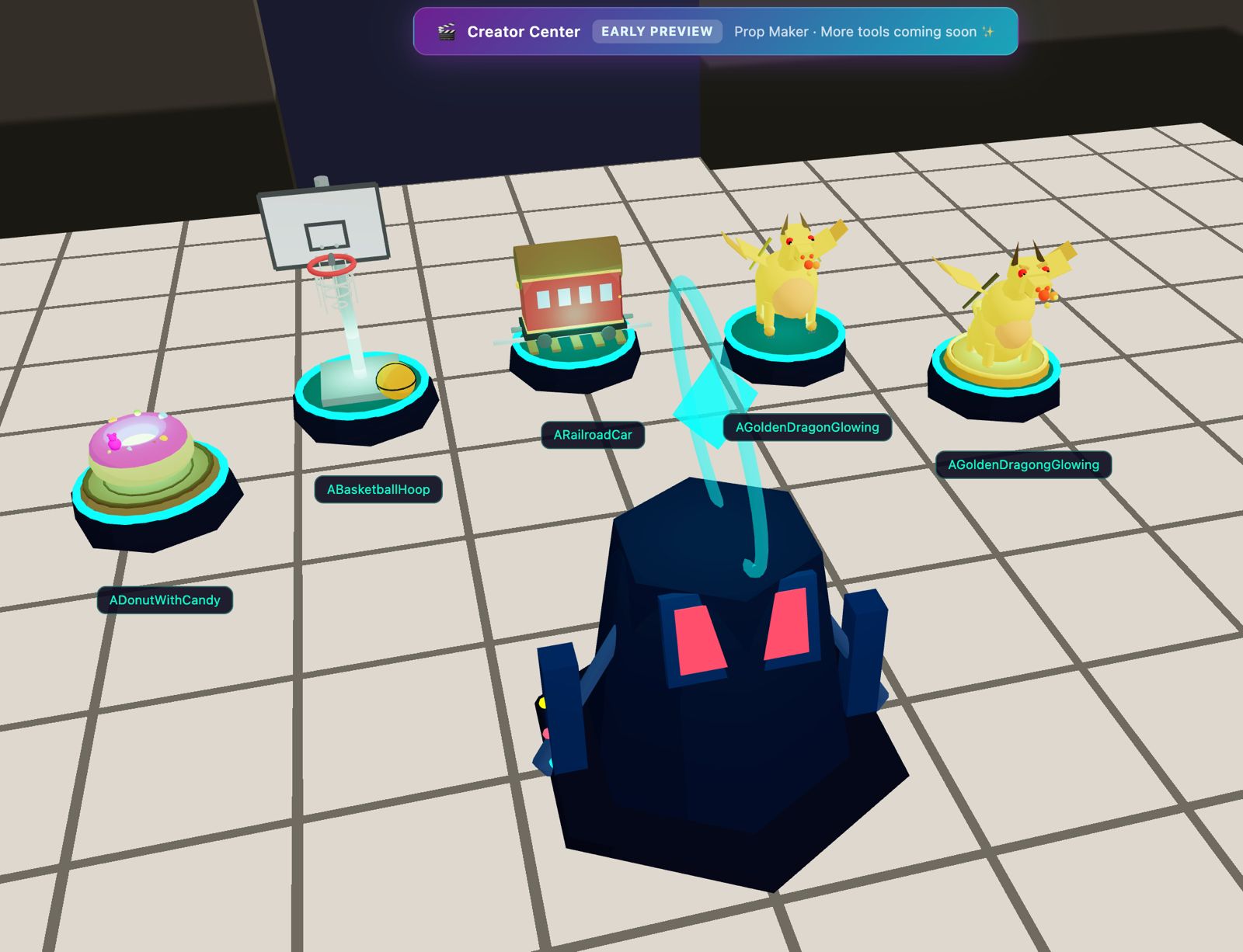
Creator Center Zone
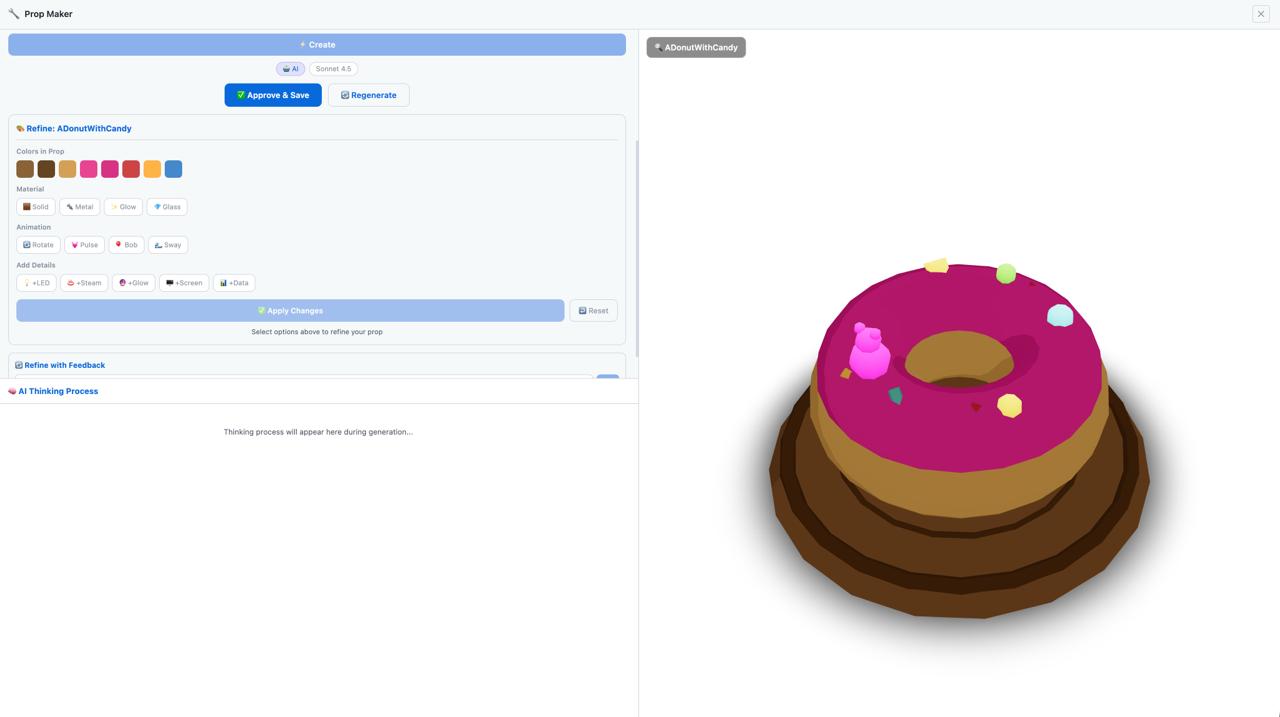
PropMaker Interface
From workspace to playground: zones make CrewHub modular →
AI Meetings — Your Bots Actually Collaborate
Click a meeting table in your HQ, pick an agenda, and watch your bots physically walk to the table, form a circle, and have a structured round-robin discussion. Each agent builds on what others said: no crosstalk, no chaos. Just organized thinking that produces real results.
When the meeting ends, you get structured summaries, executable action items, and documented decisions. Need a follow-up? Meetings carry context forward automatically: your crew remembers what was discussed and picks up where they left off.
Real collaboration in 3D space: not just another chat window →
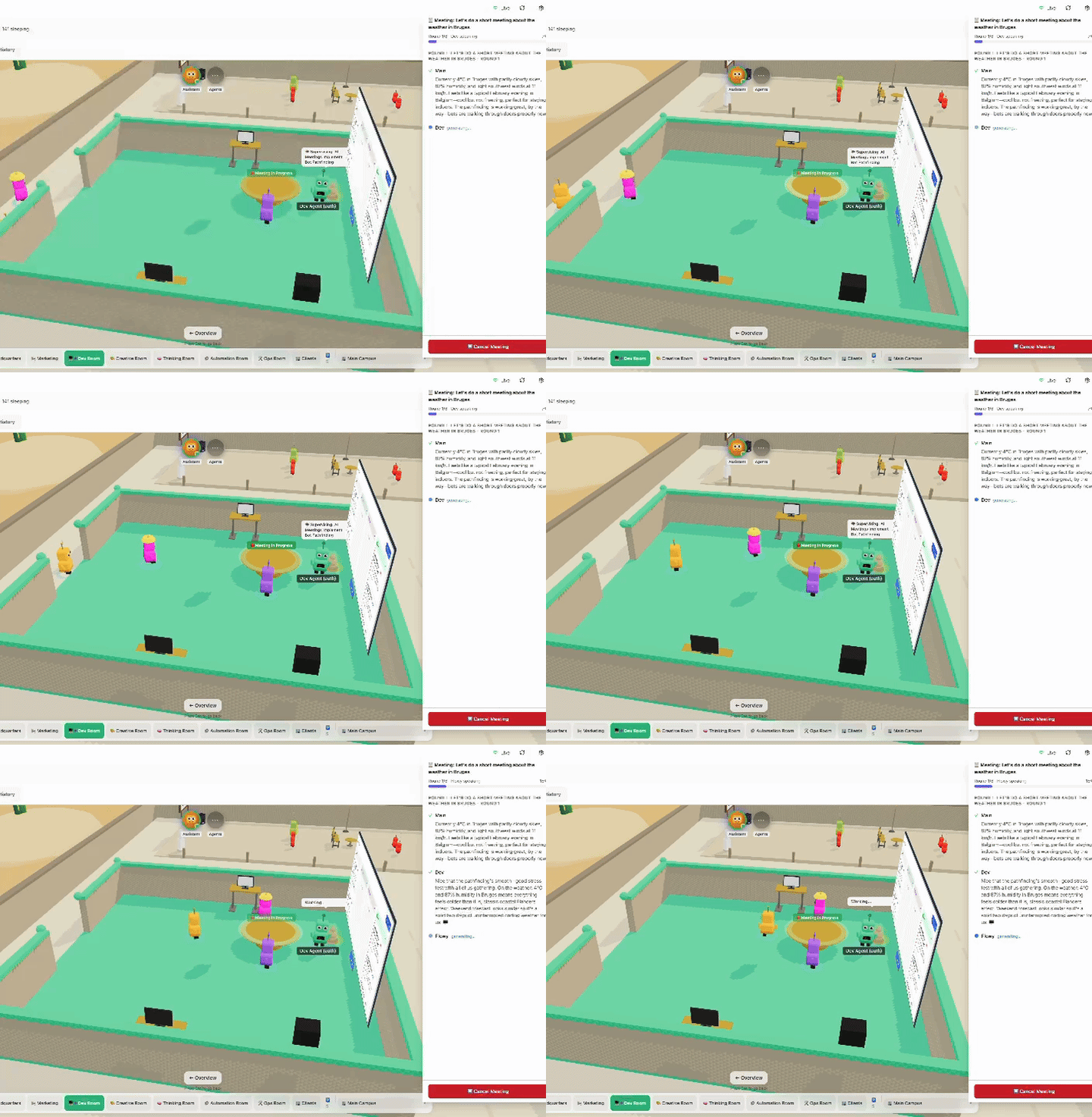
Bots gather at the meeting table
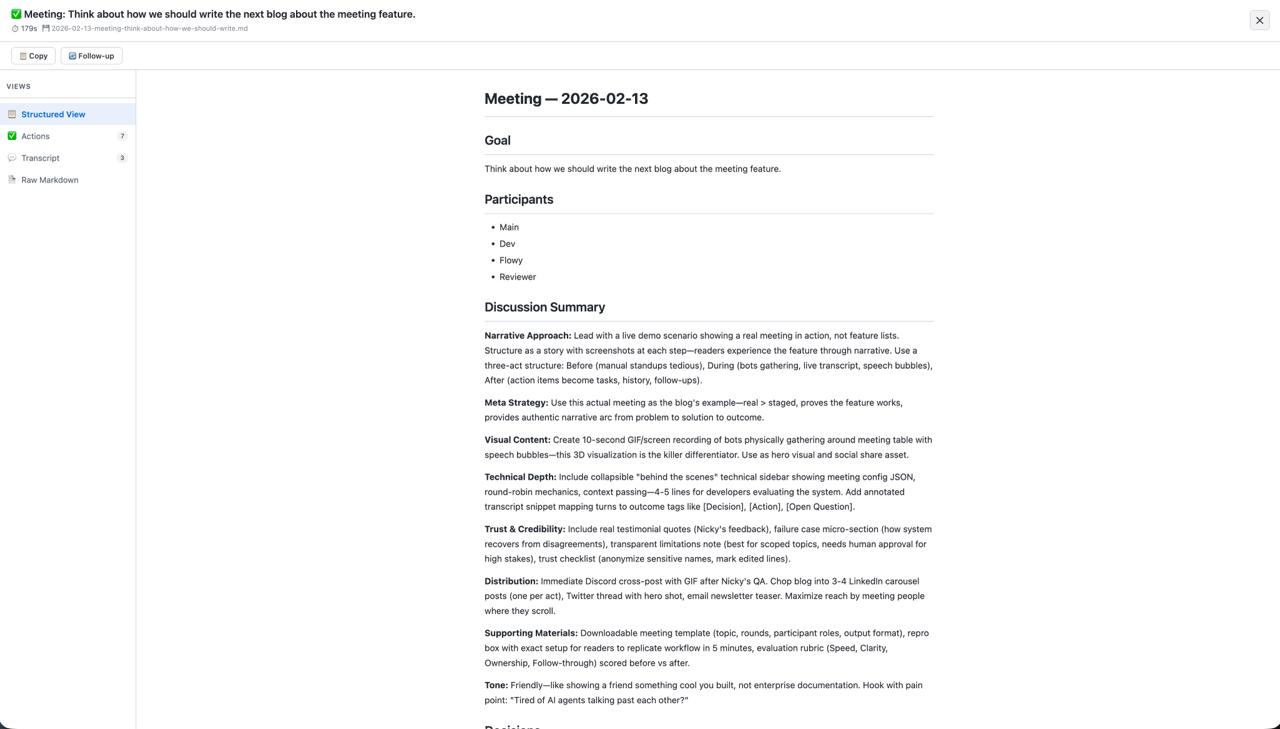
Structured results & summary
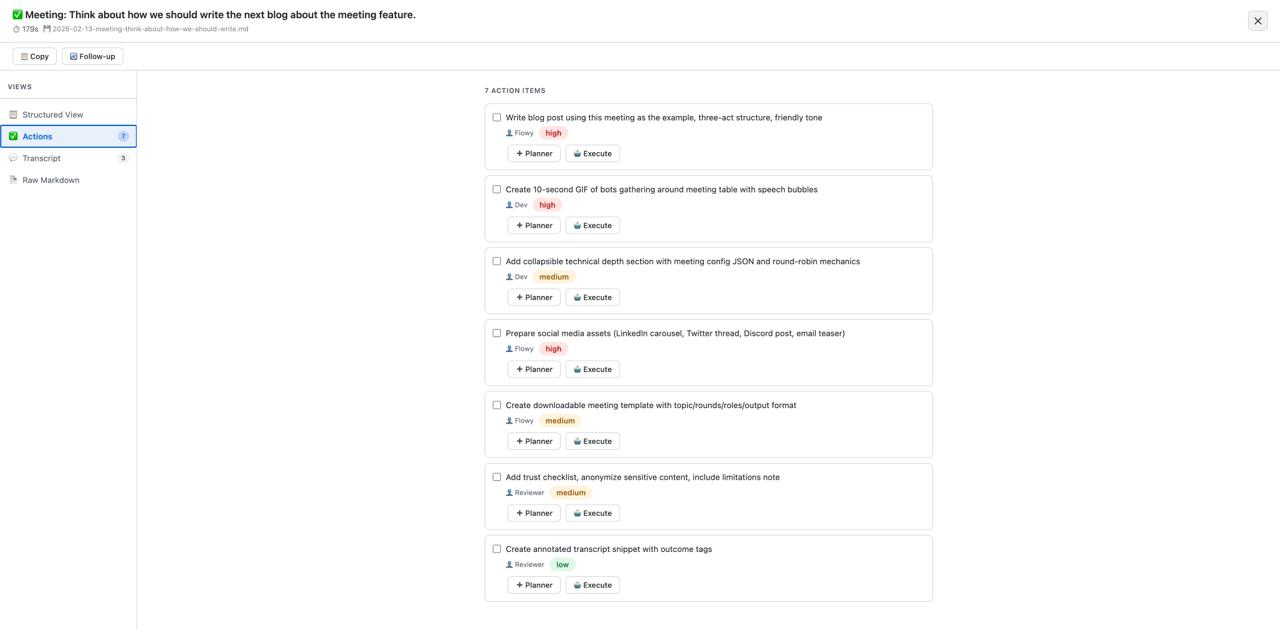
Action items & follow-ups
Real-time Monitoring
Live sessions and telemetry via SSE, updated as work happens. No refresh. No guesswork. See it unfold.
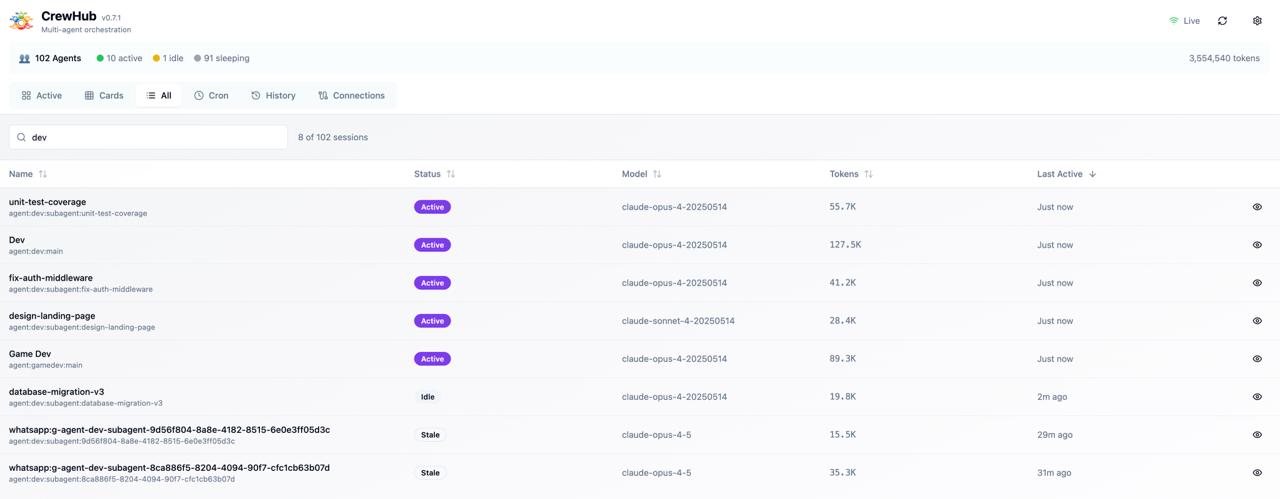
Agent Chat
Chat with agents directly: see their thinking process, guide their work, and focus on them in 3D. Click any bot, open the chat panel, watch them reason in real-time.
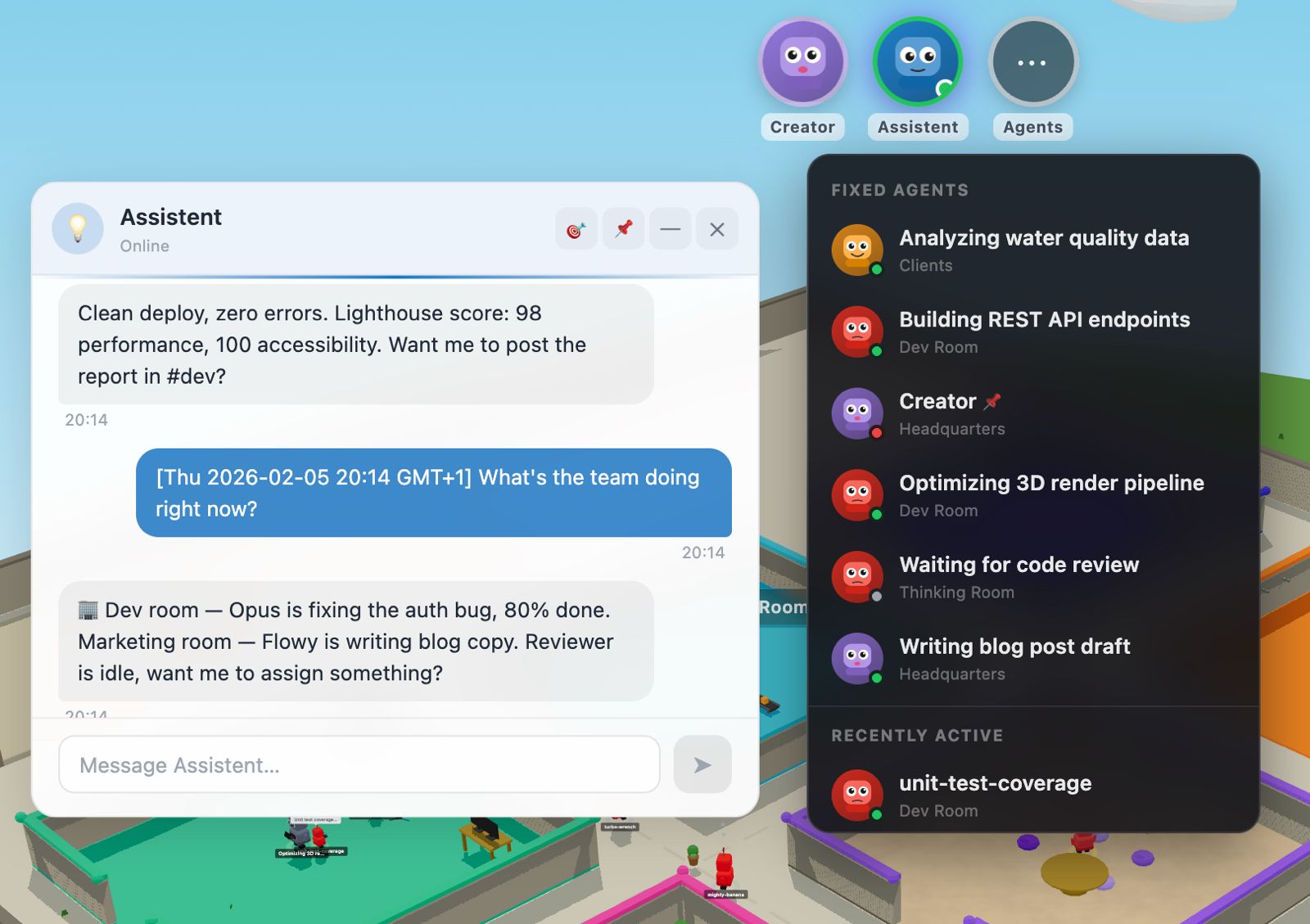
Multi-level Zoom
Overview → room → bot focus. Zoom from the full system map down to a single agent's logs in one click.
Themes & Environments
Choose from 4 unique environments: Grass, Island, Sky Platform, or Desert. Customize rooms with 6 floor styles and 4 wall textures. Switch between light and dark mode instantly.
Stats & Cost Tracking
Track token usage per session with real-time updates. Cost estimation when available from your provider. Monitor session duration, activity metrics, and tool calls across your entire crew.
Backup & Restore
Full database backup and restore system. Export and import your settings, room layouts, and agent configurations. Complete data portability: your world, your data.
Named Agents
Assign a name, role, and bio to any agent. Bots remember who they are across sessions: your frontend specialist stays your frontend specialist, your reviewer keeps their review criteria, your planner holds project context. When an agent comes online, CrewHub links the session to the right bot automatically.
Works with OpenClaw and Claude Code agents out of the box. Define as many roles as your crew needs.
Show Thinking Mode
Toggle to see your agent's internal reasoning. Watch thinking blocks and tool calls unfold in real-time. Learn how your agents solve problems.
Task Board
Kanban-style task management built right in. Drag and drop tasks between columns, organize with swimming lanes per project. Visual workflow management for your AI crew.
Four steps to your world
From zero to a fully navigable 3D mission control.
Connect
Point CrewHub at your agent system. Use CrewHub Hosted Models for Academy, or connect OpenClaw, Claude Code, Codex, and more.
Organize
Place agents into rooms by team, purpose, or project. Your world takes shape as you build it.
Assign Projects
Give rooms purpose: assign a project and every agent inside automatically knows the context. HQ oversees it all.
Walk Around
Navigate in 3D, monitor live telemetry, chat with agents, and steer work, all in real time.
Works with your stack
What's coming next
Help shape the future of CrewHub. Built for a community of worldbuilders.
Agent Academy & Game Mode
In DevelopmentChoose your path: Game Mode takes you through Agent Academy. Learn vibe coding through missions, earn XP, and graduate from recruit to commander. Or jump straight into Work Mode for a clean, professional experience. Your crew, your rules. And remember, getting real work done doesn't have to be boring!
Demo Mode
Live — Try it now →Try CrewHub without connecting any agents. Demo mode spawns simulated bots with realistic activity, perfect for exploring the 3D world, testing room layouts, and showing it off to your team.
Zen Mode
BetaDistraction-free focused workspace. Full-screen, tmux-style interface with compact panels for chat, tasks, and agent activity. Multiple color schemes, keyboard-driven navigation, and multi-tab workspaces. Now available as standalone app (Preview) — run independently without the 3D world.
Native Desktop App
Beta — macOSCrewHub in your menubar. No browser, no tabs — just click the tray icon. Two windows: a compact Chat window and the full 3D World. Close = hide, not quit. Native macOS notifications + tray badge when your agents complete tasks.
Full Mobile Experience
Beta — Web AppThe full CrewHub experience in your mobile browser — no app store needed. Group chat with multiple agents, Kanban board, file & image upload, 3D character preview in chat, active task badge, and in-app settings. Works on iOS Safari, Android Chrome, and iPad.
Modding & World Packs
Coming soonAdd custom props, rooms, and environments. Share creations with the community.
Visual Room Editor
In developmentBuild and customize worlds without writing code. Drag, place, and design.
Plugin Marketplace
PlannedDiscover and install community-built integrations, themes, and room templates.
Documentation Site
In progressStarlight-powered docs with guides, API reference, and examples.
Import / Export
Coming soonShare your world setups with your team or the community. One-click import.
Multi-World
PlannedExpand beyond the Main Campus. Creator Center for building props in-game, Game Center for achievements, and Academy for learning. Each world has its own purpose.
Agent Teams
In developmentNative support for Anthropic's new Agent Teams: visualize team leads, teammates, and task coordination in your 3D world. See who's talking to whom, track parallel workstreams, and manage multi-agent orchestration visually.
Voice Chat
PlannedWalk up to any bot in first-person mode and talk. Powered by Whisper for transcription and TTS for responses: the most immersive way to interact with your AI crew.
Local Model Support
PlannedRun local models via Ollama or llama.cpp for simple tasks: bio generation, orchestration decisions, in-app checks, and quick lookups. Zero API costs, faster responses (no network latency), enhanced privacy, and works completely offline.
Human Friendly
In DevelopmentMaking CrewHub accessible to everyone. Simplified setup, guided onboarding, and no command line required.
Steam Early Access
ExploringYour agents, now on Steam. Earn XP, unlock themes, climb the ranks.
VR Mode
Dream featureWalk around your agent office in VR. WebXR-powered, works with Meta Quest and Vision Pro. The ultimate immersive AI command center.
Join the crew on Discord
Chat with the team, get early access, and shape the roadmap.
Open Research Project
CrewHub is built by EKINSOL BV as an experiment in AI-assisted development. We share our planning docs, design decisions, and learnings openly. Join us on this journey!
Open source, community-first, and built to be extended.
CrewHub is for teams who love the power of terminal tools but need a shared, visual mission control. You get real-time telemetry, direct agent chat, and a world view that makes complex systems easy to understand.